
High-Speed DDR3 Review Series Performance
DDR3 Review Series
Over the course of the next few weeks, Benchmark Reviews will be releasing nearly a dozen reviews covering nearly every speed of DDR3 make by almost every memory manufacturer on the market. This article introduces the technology, and offers a glimpse at what we've secured for testing. And while we know that DDR3 is not for everyone, this series will certainly disprove the early failures and possibly convince you why DDR3 should already be a part of your computer system.

Benchmark Reviews has been keeping very close tabs on the system memory industry lately, and it should not surprise you to learn that we have uncovered some fierce competition between manufacturers. Ever since Intel released their 3 series northbridge, which presently includes the favored P35 and X38 chipsets, most people believed that DDR2 would have the wind taken from its sails so that DDR3 could make waves. With the chipset supporting two different memory standards, the decision was ultimately left up to the consumer.

This was meant with the best intentions, but as DDR3 was released to the public it didn't take long for people to realize it was still too immature to compete against the more refined DDR2 in regards to high-end performance. DDR3 initially fell short of enthusiast expectations, and motherboard manufacturers collectively surrendered and kept DDR2 as the standard in nearly all of their products. For a short period of time after the P35 norhtbridge launched this put the weight of the world back on the shoulders of DDR2.

But now manufacturers have tooled up for long-term DDR3 production, there are only a few names remaining on the shrinking list which are still releasing high-performance system memory for the DDR2 platform. In addition, Intel is preparing for their upcoming launch of 4 series northbridge chipsets, to include the much anticipated P45 and X48 to take full advantage of Extreme Memory Profiles (XMP), an exclusive set of SPD (Serial Presence Detect) settings that work like a built-in overclocking tool. This news means that those initial DDR3 kits may as well be called generation one or some other name denoting obsolete equipment, because today Benchmark Reviews is revealing the new dawn of high-performance DDR3 kits. Our mega-comparison review will feature all speeds of PC3 memory, from the outrageous XMP-enhanced 1866MHz DDR3 to the more common 1066MHz, and everything in-between.

The driving minds over at the Joint Electron Device Engineering Council (JEDEC) are primarily to blame. You see, they are responsible for compiling the standards for memory speeds and settings, and motherboard and memory manufacturers usually go by their recommendations. But the caveat is that the speed is an open foot race, and he (or she) with the most bandwidth wins. But not everyone will be able to participate and receive the benefits of this fierce competition.
Presently the Intel 3-series family of chipsets already offers support for the necessary memory multipliers; which are necessary to transition high-speed DDR3 into the mainstream. Unless you are part of that slim group of hardware enthusiasts using a tier-one system from Dell, HP/Compaq, Gateway, or Acer, you will be able to simply set your motherboard to run the memory at the given speed, such as PC3-12800/DDR3-1600 for example.
EDITORS NOTE: Benchmark Reviews has also published the article DDR3 RAM: System Memory Technology Explained
DDR3: Testing in Progress...
Ultimately DDR3 offers a faster design which allows all hardware enthusiasts to take advantage of it. Current high-speed DDR3 memory doesn't offer any benefit when installed into computers running at the stock JEDEC standard speeds of 400 (800), 533 (1066), 666 (1333), and 800 (1600).
Instead, the new generation of DDR3 is meant to avoid a bottleneck between the CPU and the system memory; especially in highly overclocked scenarios. With the high-speed variety of DDR3, which presently includes everything beyond the highest 1333MHz JEDEC standard, you increase the Front Side Bus (FSB) and CPU clock speed without being forced to slow the system memory to remain stable. It should be noted that as of late October 2007 the JEDEC 1600MHz speed is still in draft in standard JESD79-3A, but once finalized high-speed DDR3 will include parts beyond this new speed.

System Memory is labeled with a new generation for each interval of Front Side Bus development. In terms of DDR, or double data rate memory, the first generation was designed for 100 MHz to 200 MHz speeds (DDR-200 to DDR-400). Later, DDR2 arrived and started production at 266 MHz (DDR2-533) and officially ended (by JEDEC standards) at 400 MHz (DDR2-800). This is where DDR3 begins, starting with 533 MHz (DDR-1066), and scale up to 800 MHz (DDR3-1600).
Each generation of DDR is more than just an update to the memory speed, it is also a more technologically advanced production process and a lower operating voltage and better heat dissipation. The previous generation of DDR2 is manufactured on a 110nm node, whereas the new DDR3 has receives a fab process shrink down to a 90nm node (although some use 80nm) with either 55/45nm prepared for later into 2008. Together, this all helps the hardware enthusiast reach higher clock speeds at the expense of higher latencies. This is why the new DDR3 generation of memory needs a significantly higher clock speed deliver better performance than the preceding generation of DDR2 technology.

In additional to the logically progressive changes, there are also improvements made to the architectural design of the memory. One particularly important change introduced with DDR3 is in the prefetch buffer: up from DDR2's four bits to an astounding eight bits per cycle. This translates to a full 100% increase in the prefetch payload; not just a small incremental improvement as there have been in the other area's.
DDR2-400 Memory is equal in performance to DDR-400, which is why it must operate at DDR2-667 speed to carry incentive. The same scenario is true with DDR3 when compared to DDR2. While in theory DDR2-1066 offers the same performance as DDR3-1066, this generally means that DDR3 requires a DDR3-1333 speed to show any benefit over DDR2-800. Memories within the same generation (DDR/DDR2/DDR3) are downwards compatible, meaning that if you have DDR3-1600 RAM, you can configure it to operate at 1066 and 1333 MHz speeds.

Unfortunately, without the proper chipset to support high-speed DDR3 memory, anything beyond DDR3-1333 (the fastest selectable memory multiplier setting with most motherboards) will be relegated to overclocking. Intel has designed the entire 3 Series of motherboards to be DDR3 compatible; but even though the G33, P35, X38, and the upcoming X48 chipsets all support the newer standard they are still encouraging DDR2 support. This is going to be a power struggle between standards until Intel launches yet another new Front Side Bus.
But aren't we forgetting someone? Oh, that's right, Advanced Micro Devices. These days it's almost as if AMD has been late to dinner so often they don't even get a table setting anymore. While little brother (AMD) may have made claims back in 2006 to support DDR3 in their products this year, they appear to eating their words as the move has been stalled until the last half of 2008 when they will likely introduce the 45nm AM3. Which is what brings about the purpose of this article... is it all worth it?
Test Products:
One of the nice benefits of owning a computer sales and service company is that I get to have my hands on a whole lot of inventory that I would never purchase for myself. The other benefit is that I get to make contact with many of the top names in the industry, and can often persuade them to lend us product for testing. Over the next several weeks, you can expect to see top-tier names like: Aenenon, Corsair, Crucial, GeIL, Kingston, Mushkin, OCZ, Patriot, Winchip, and Super Talent in our featured DDR3 reviews for this mega-comparison round-up. The list below is just the beginning...
- A-Data PC3-12800 CL7-7-7-20 AD31600X002GU DDR3 1600MHz 1.75-1.85V 2x1GB RAM Kit
- Aeneon PC3-10666 CL8-8-8-15 AXH760UD00-13GA98X DDR3 1333MHz 1.5V 2x1GB RAM Kit
- Aeneon PC3-12800 CL9-9-9-28 AXH860UD20-16H DDR3 1600MHz 1.5V 2x2GB RAM Kit
- Corsair PC3-14400 CL7-7-7-20 TWIN3X2048-1800C7DF G DDR3 1800MHz 2.0V 2x1GB RAM Kit
- Crucial PC3-12800 CL8-8-8-24 BL2KIT12864BA1608 Ballistix DDR3 1600MHz 1.8V 2x1GB RAM Kit
- GeIL PC3-8500 CL6-6-6-15 G31GB1066C6PDCA DDR3 1066MHz 1.5V 2x512MB RAM Kit
- Kingston PC3-13000 CL7-7-7-20 KHX13000D3LLK2/2G DDR3 1625MHz 1.9V 2x1GB RAM Kit
- Mushkin PC3-10666 CL6-7-6-18 HP3-10666 DDR3 1333MHz 1.8V 1GBx2 RAM Kit
- OCZ PC3-12800 CL7-7-7-24 OCZ3P16002GK Platinum Series DDR3 1600MHz 1.9V 2x1GB RAM Kit
- Patriot PC3-15000 CL8-8-8-24 PDC32G1866LLK DDR3 1866MHz 1.9V 2x1GB RAM Kit
- Qimonda PC3-8500 CL7-7-7-20 Aeneon AEH760UD00-10FA98X DDR3 1066MHz 1.5V 2x1GB RAM Kit
- SimpleTech PC3-10600 S1024R5NP2QA DDR3 1333MHz 2x1GB RAM Kit
- Super Talent PC3-14400 CL7-7-7-20 W1800UX2GP DDR3 1800MHz 2.0V 2x1GB RAM Kit
- Winchip PC3-10666 CL8-8-8-15 64A0TRHN8G17E DDR3 1333MHz 1.65V 2x1GB RAM Kit
So after weeks of collecting test samples, I am quite pleased to provide our esteemed readers with nothing less than the best assortment of DDR3 memory kits available. I would think that this is probably more than any other site has managed to collect and test at one time, so let's hope the effort is appreciated.

Test System
-
Motherboard: ASUS P5K3 Deluxe (Intel P35 chipset)
-
Processor: Intel E6550 Core 2 Duo 2.33GHz with 1333MHz Front Side Bus
-
Video: FOXCONN GeForce 8800 GTS 640MB overclocked to 600MHz Core / 900MHz RAM
-
Hard Disk 1: Western Digital WD360GD 10,000 RPM SATA
-
Optical Drive: Toshiba Samsung SH-S203 SATA 20x DVD R/W
-
Enclosure: Antec P182 Performance One ATX Case with 2x120mm cooling fans
-
Operating System: Windows XP Professional SP-2 (optimized to 16 processes at idle)
EDITORS NOTE: Benchmark Reviews has also published the article DDR3 RAM: System Memory Technology Explained
Testing Methodology: RAM
Before the testing really begins, there are several settings to be adjusted in the BIOS. Many combinations of the CPU's front side bus are matched to a specific memory multiplier, giving us the desired RAM (and CPU) operating speed. When high-speed DDR3 is tested, a 1:1 memory multiplier is combined with the highest CPU front side bus speed avilable to obtain baseline readings; the fastest FSB is presently 1333MHz found in select Intel Conroe and Kentsfield series desktop processors. When I first begin this process and start benchmarking for a baseline, the memory voltage and timing are always left at the manufacturer's default values.

After each and every change to the BIOS, the system is restarted and all RAM modules are automatically tested with MemTest86+ for one full pass. Since the modules are not yet overclocked, one pass is usually sufficient to determine if a bad part exists. Later, once I begin to overclock the memory, these tests are a good way of quickly pre-screening stable configurations. Once the test pass is complete, I move onto the synthetic benchmark tests. Here at Benchmark Reviews we use the following test suites and applications:
-
SiSoft Sandra Lite
-
Lavalys EVEREST
-
Passmark Performance Test
-
RightMark Memory Analyzer
-
World in Conflict
After all of the tests have been performed at the default memory clock speed (or 1333MHz for High-Speed DDR3) which establishes the baseline reading for our comparisons, I then increase the front side bus to overclock the RAM without adding any additional voltage. My theory is this: a module that overclocks without additional voltage is going to perform better than a module which requires you to potentially damage it or void the warranty. Another way of looking at this is that if a module overclocks well without added voltage, it is likely that there will be more headroom if addition voltage is applied.

I am fully aware that many sites turn up the voltage and apply dangerous amounts of power to the modules so that they can unlock that last megahertz; but if I begin down that road where will it end? Do I then start writing reviews where I apply liquid nitrogen cooling to the RAM? Do I volt-mod the motherboard and apply so much power I ruin expensive parts and equipment? In the end, I decided that overclocking will be done at the stock voltage for benchmarks, because I believe most enthusiasts are going to aim for the same goal. If on some rare occasion I determine that adding voltage would potentially return large performance gains, then I will add up to 0.2V to the default volt rating.

In each synthetic benchmark test Windows XP was booted fresh and the application was opened. Task manager was then utilized to end the explorer.exe (Windows) process so that only the most essential services were running and a trim 16 processes total were consuming system memory. This procedure allowed the RAM to be as isolated as possible for our testing. Once the system was ready, I perform a single test-run of the benchmark, followed by three recorded tests. At the end of the series, I average the three results for the final score.
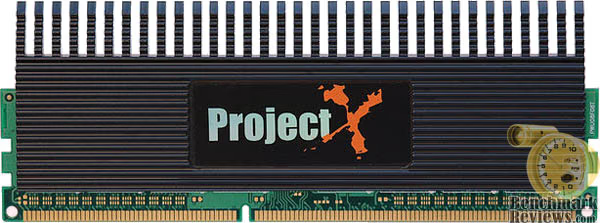
Sometimes it is very difficult to get broad results between the memory modules tested, so we use several different speeds of memory from participating manufacturers. Benchmark Reviews is very serious about performance, which is why we test the products against as many benchmarks as reasonably possible. Not every test suite is effective in these reviews, and some often calculate processor and other system components into the score. This is what makes a RAM review difficult: unless all of the modules compared have the exact same rating and the CPU operates at the exact same speed for each and every test, the comparison is always going to be subjective.
EDITORS NOTE: Benchmark Reviews has also published the article DDR3 RAM: System Memory Technology Explained
Forward Thoughts
I wasn't entirely sure what I wanted to say in this section; but after a few hours I decided it would be best to make this the end to one article and the beginning of another.

Many of the readers will probably not consider DDR3 an important part of the hardware market just yet, and in a very few ways I can agree with them. It's expensive, and it's not going to change their system from a 2 to a 10. But I think that this argument only exists if you have missed the point: DDR3 is a more efficient replacement over DDR2, but high-speed DDR3 is intended for overclockers and enthusiasts almost exclusively. In a year from now, expect to have DDR3 pressed into your new motherboard. However for today, the demand behind DDR3 and its high-speed variants is best met by the growing number of hardware enthusiasts which push their equipment well past the stock settings.

All of this is great news for the overclocker, the hardcore gamer, and the hardware enthusiast; which has been the case every time high-end system memory parts arrive to the market. It wasn't all that long ago we all had SDRAM with 1 and 1.5CL timings, and then DDR arrived with CL3. Nobody complained then, so I'm not sure why they are starting now. It was the exact same story when DDR2 arrived to replace DDR; which nearly doubled the timings. So from a technical standpoint we should appreciate that the timings have only gradually increased with the clock speed, because history has proven this to be difficult.

As the final week of testing wraps up on the Benchmark Reviews DDR3 test group, I know what I have seen so far will certainly shatter expectations. Can I "let the cat out of the bag"? Well, I could, but then you wouldn't bother reading the next ten reviews. Hell, you might not bother with them anyway; I don't really know. But I can certainly appreciate the anxiety an article like this can create, and I will leave you will a little teaser:

If that wasn't enough to bring you back, perhaps this will be: Benchmark Reviews will debut the fastest DDR3 kit ever released, as well as show some incredible overclocking results pushing number you might think were unobtainable. If you thought that the 1880MHz DDR3 running at CL8-8-8-24 as hinted above was big, wait until you see the top dog!
Questions? Comments? Benchmark Reviews really wants your feedback. We invite you to leave your remarks in our Discussion Forum.
EDITORS NOTE: Benchmark Reviews has also published the article DDR3 RAM: System Memory Technology Explained