
DeepCool M3 Notebook Cooling Pad
DeepCool M3 Notebook Cooling Pad Review
Manufacturer: Beijing DeepCool Industries Co., Ltd
Product Name: M3 Audio Cooling Pad
Model Number: DP-N12NM-M3BU
UPC: 6933412775157
Price As Tested: $39.99 MSRP
Full Disclosure: The product sample used in this article has been provided by DeepCool.
It is a fact that laptops can get very hot and, depending on where it is placed, it can get mighty uncomfortable. The advent of laptop coolers has provided a way to help reduce the heat for the comfort of both the computer and the user. Beijing DeepCool Industries Co., Ltd are introducing a line of laptop coolers into the North American Market and Benchmark Reviews has obtained M3 Audio Cooling Pad for review and testing.
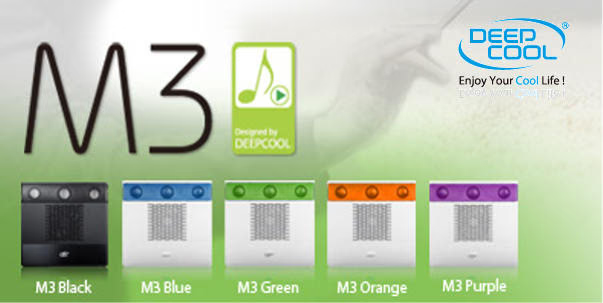
The DeepCool M3 Audio Cooling Pad is a mainly plastic unit that has a 140 mm fan, 2.1 stereo speakers and is offered in 5 different colors.
The cooling pad will be tested by conducting a system stress test using two different Laptops, and noting the effect of the cooling pad on the CPU temperatures. Sound reproduction will be tested by playing different genres of music and noting the quality of the sound and distortion level of the speakers.
Features & Specifications
Source: DeepCool Industries
DeepCool M3 Cooling Pad Features
- 140 mm manually variable speed fan.
- 2.1-channel speakers.
- Build-in magnetic loudspeaker with two damping chambers in the main body to protect notebook.
- Standard Micro USB port powered for flexible power options.
- Two 2.0 USB output ports.
- Airflow channels designed for better heat dissipation.
- Integration of speaker and cooling design.
- Standard 3.5MM audio port, Plug and Play without drive makes more convenient.
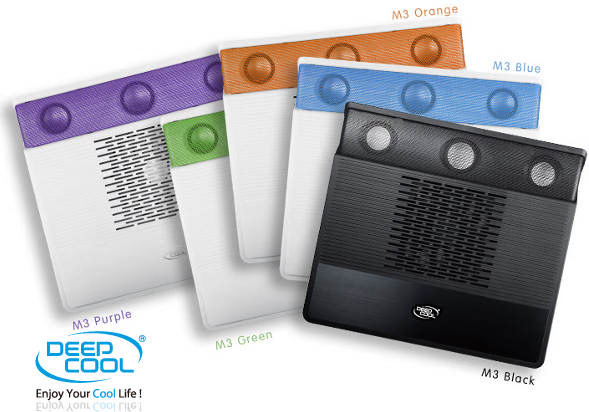
- Five color choices: M3 Black Classic; M3 Blue Smooth Sound; M3 Orange Storm; M3 Green Prairie; and M3 Purple Dream.
- Ergonomic 8 ° slant notebook surface.
- Compatible with 15.6" notebooks and below.
DeepCool M3 Specifications
| Model: | M3 Audio Cooling |
|---|---|
| Dimensions (LWH) | 15" x 10.9" x 1.3" (380 X 279 X 34 mm) |
| Laptop Support | Up to 15.6" |
| Color/Material | Black Anodized Aluminum, Plastic |
| Power Options | Micro USB |
| Fans | 1 x 180 mm, 15 mm thin |
| 5 Fan Speed Controls | 600~1000±10% RPM |
| Weight | 3.74 pounds (1700 g) |
| USB Ports | 2 x USB 2.0 |
Closer Look: DeepCool Cooling Pad
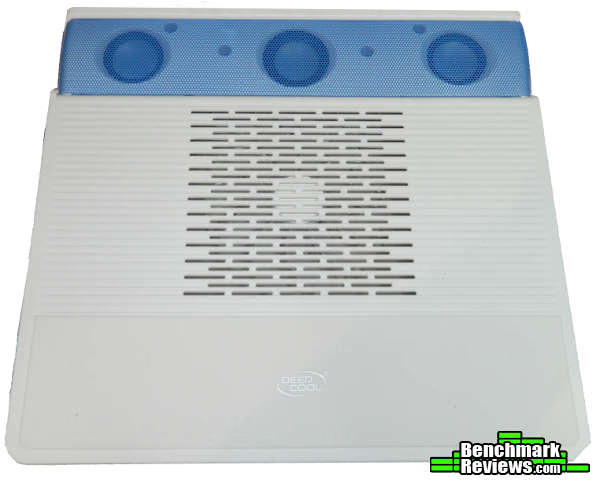
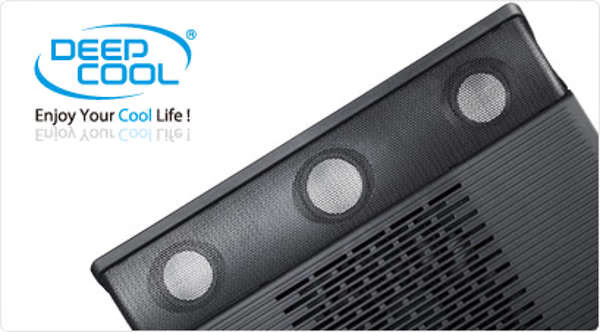
When you remove the DeepCool M3 Cooling Pad from the box you are struck by just how lightweight the cooling pad is. Being mainly constructed of plastic it feels light, but seems quite sturdily built. The grill across the top accentuates the 2.1 speakers and provides protection and a splash of color to the design. In the lower 1/4 of the image you can see the silicone panel inserted on the front of the unit which also adds panache and, on a bit more practical noted, prevents the laptop from sliding off.
From the side you can see the relatively slim profile of the DeepCool M3 cooling pad. Also prominent is the speaker grill that wraps around both sides. I type a lot on my laptop and the 8 degree platform angle increases the comfort of lengthy typing sessions.

The interconnections on the laptop cooler are grouped together on the left hand side of the unit. The power port supports a mini-USB cable, which is handy because the DeepCool M3 Cooling Pad can be powered from the laptop, using a standard cable, or from a standard charger that is used to charge many current mobile accessories. There are two standard sized USB outlets also on the left hand side to allow you to plug in peripherals through the cooling pad when it is connected to the cooling pad from your laptop.
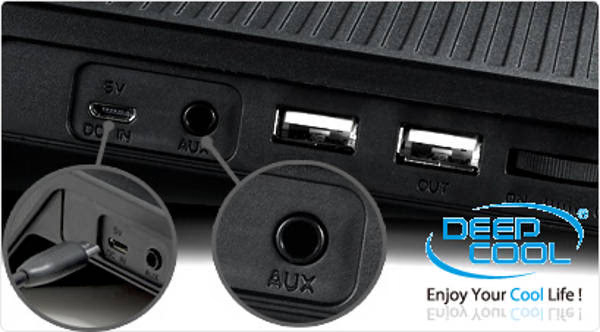
These ports did not work on the demonstration unit provided, but that is probably a defect on this unit. You can also see the rotary speed control for the cooling pad fan on the right hand side of the picture. This allows you to control the fan speed, or shut it off. I found the fan so quiet that I just left them running at full speed at all times.
Testing & Results
Testing Methodology
To test the effectiveness of the cooling pad a System Stability Test was conducted using AIDA64 Extreme Edition. This test stresses the CPUs, FPU, cache, and system memory, which should result in a maximum heat situation, or at least provide an opportunity to measure the effectiveness of the cooling pad. CPU temperatures were used as the test data, and monitored using the AIDA64 Computer/Sensor sub-menu.
Room temperature was monitored to ensure that the test conditions did not affect the results. The notebooks were turned on and allowed to sit idle (CPU use less than 5%) for approximately 15 minutes, on a hard surface to establish a baseline temperature of the CPUs. The notebooks were then placed on the cooling pad and allowed to idle for another 15 minutes to provide a data point at idle, to identify if there was any effect from the cooling pad at idle and at maximum cooling fan speed. The laptop was replaced on the hard surface and the AIDA64 System Stability test started.
After at least 15 minutes, when the laptop temperatures were stabilized and they were recorded. The System Stability Test was then terminated and the laptop allowed to return to idle temperature. Then the laptop was placed on the cooling pad, with maximum fan speed, the stability test restarted and the temperatures allowed to stabilize, and then recorded.
In this manner data was collected from the two test laptops.
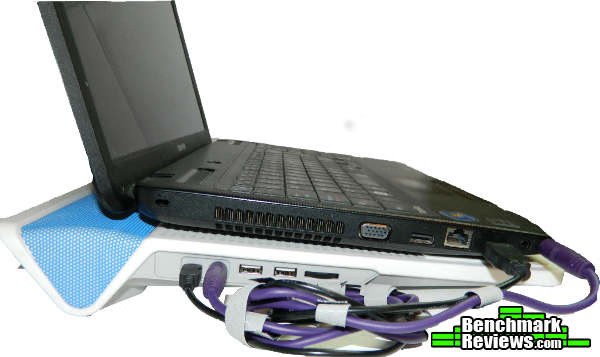
Above is the test set up for the DeepCool M3 Cooling Pad. As you can see care must be taken with the interconnecting USB and Sound Cables to minimize entanglement when moving the two as a single unit.
Test System
Laptop 1
HP Pavilion g6
-
Computer Type: ACPI x64-based PC (Mobile)
-
System Memory: 7650 MB (DDR3-1600 DDR3 SDRAM)
-
Processor: Mobile QuadCore AMD A10-4600M, 2700 MHz (27 x 100)
-
Video: AMD Radeon HD 7660G (512 MB)
-
Disk Drive: TOSHIBA MQ01ABD075 (750 GB, 5400 RPM, SATA-II
-
Monitor: 15.5" led 1280x800
-
Operating System: Microsoft Windows 8
Laptop 2
Toshiba Satellite L750
-
Computer Type: ACPI x64-based PC (Mobile)
-
System Memory: 4043 MB (DDR3-1333 DDR3 SDRAM
-
Processor: Mobile DualCore Intel Core i5-2410M, 2700 MHz (27 x 100)
-
Video: Intel(R) HD Graphics Family (1841080 KB)
-
Disk Drive TOSHIBA MK6475GSX (640 GB, 5400 RPM, SATA-II
-
Monitor: 15.5" led 1280x800
-
Operating System: Microsoft Windows 7 Home Premium
Results
The results are summarized in the following table:

As can be seen there is a measurable cooling effect that the DeepCool M3 Cooling Pad has on the laptop computer. 1.5 to 2 degrees Celsius seems to be usual. It must also be noted that when I used a stand-off temperature probe I found that the highest temperatures on the laptop were off to the side, which says to me that the CPUs where most likely not centered above the center mounted fan. In addition, the HP Pavilion has an opening in the bottom center whereas the Toshiba Satellite did not. This could also contribute to the differences in the cooling effect of the cooling pad.
Heat transfer between the laptop and the bottom surface of the cooling pad was minimal, and so as a method of reducing direct heat transfer the cooling pad was very effective.
The built in speakers are the other main feature of the DeepCool M3 Cooling Pad. I was able to use the sound output from the laptop to test the output from the cooling pad. The testing method used was to play different types of music and to increase the volume until distortion was apparent, and then reduce the volume until the distortion disappeared. There was a tendency for the speakers to distort when the volume was approximately 65 % of the maximum. The DeepCool M3 adds amplification, however there is no on board volume control so the sound is louder than when played through the laptop. The sound was also fuller sound and the bass clearly had better resonance. In summary, the DeepCool M3 cooling pad may not blow the doors out of the room, but it makes a good listening environment to work in.
Cooling Pad Final Thoughts
I like the DeepCool M3 Cooling Pad. It is stylish light and seems quite sturdy. As a mid-level cooling pad it is effective at limiting the heat transfer from the laptop to the bottom of the pad and therefore I could see myself taking it along on trips to let me work on my laptop on a bed or my lap. Also the expanded sound that comes from the speakers would be another reason to tote it along, so I don't require additional speakers too.
DeepCool M3 Cooling Pad Conclusion
The DeepCool M3 Cooling Pad performed well overall. Although it did not provide a huge amount of direct cooling to the laptops, there was a measurable drop. Certainly the materials and design of the cooling pad minimizes the direct transfer of heat from the laptop bottom making it comfortable to position on your lap, should you be required to do so.
The DeepCool M3 Cooling Pad is minimalistic and uncluttered and it is available in five colors. Plug it into your laptop, MP3 or IPOD and music is broadcast at a comfortable level.
The shape of the cooling pad provides a comfortable angle for typing on a surface like a counter or a table and it is large enough to fit on your lap comfortably. The fan is very quiet, and has a variable speed wheel on the side of the cooling pad. I also like that it is very light, but sturdy enough that I would toss it in my luggage for a trip.
I must mention that the USB ports on the test unit did not work, however I do believe that is probably just a problem with this particular unit. Another DeepCool laptop cooling pad that I received worked flawlessly. There also were no mini-USB cable, nor sound cable in the box.
The convenience of using a mini-USB plug to provide power allows the flexibility to use commonly owned cables and chargers to power the cooling pad.
At the time of this article there were no merchants listing product availability for this cooling pad, but lists for $39.99. I would expect it to be lower in the price range of cooling pads, and practical for students to purchase.
Pros:
+ Quiet Fan
+ 2.1 Speakers
+ Sturdy Construction
+ Lightweight
+ Can be powered by laptop or wall charging unit (not included)
+ Minimizes heat transfer from Laptop
Cons:
- Minimal Cooling Effect on Laptop
- No USB or Audio Cord Provided
- USB Ports Not Working
Ratings:
- Performance: 6.0
- Appearance: 7.0
- Construction: 7.0
- Functionality: 7.5
- Value: 7.5
Final Score: 7.0 out of 10.
COMMENT QUESTION: Have you ever owned a laptop that needed a cooling pad?
Reader comments from the original article
4 comments were posted before commenting closed. They are preserved as written. Original avatars no longer resolve and are shown as a placeholder.
17.3"..?! Michael Permalink:
Does DeepCool have any plans on making a version for 17.3" laptops..?!
Contributing Editor Dan Permalink:
DeepCool has a N9 Aluminum laptop cooler that supports up to 17", I would think that it would hold the 17.3" model too. See my review at: /index.php?option=com_content&task=view&id=1033&Itemid=66
laptop or notebook swathi Permalink:
These laptop or notebook that have vents on its base because it prevents these vents from being blocked regardless of what ever surface the laptop is used on. desk,lap notebook uneven/soft surfaces and outdoors.
Contributing Editor Dan Permalink:
swathi You are correct. Laptop cooling pads provide a surface for laptops to rest on so air will circulate through the laptop when the cooling pad is placed on a soft surface such as a blanket. They also allow your hands a more natural approach because the laptop does not sink into the soft surface either.