
Razer Carcharias Gaming Headset
Razer Carcharias Headset Review
Manufacturer: Razer USA Ltd.
Product Name: Carcharias
Model Number: RZ04-00270100-R3U1
UPC: 87986200486 EAN: 8886419312260
Price: $79.99 (Newegg)
Full Disclosure: The product sample used in this article has been self-supplied.
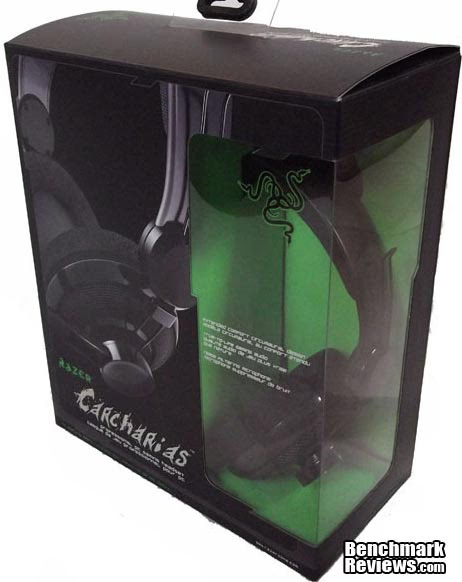
For many gamers, the most important piece of hardware in their repertoire (after their computers of course) is their headset. Whether you use one so you can game while your significant other is asleep, to get better audio quality than your speakers provide, or simply because you prefer them, there's nothing like a good headset. Razer offers gamers their Carcharias wired gaming headset, model number RZ04-00270100-R3U1. Priced for $79.99, the Carcharias offers good sound, a comfortable fit (even with glasses!), and plug-and-play interfacing. Benchmark Reviews will test the Carcharias headset for range, sensitivity, comfort and general functionality.
Product Description
Get ready to experience extreme comfort and quality audio as you have never experienced before. We're proud to introduce the Razer Carcharias. Like its ferocious predecessor the Razer Megalodon the Carcharias delivers superior, realistic audio with clarity and deep, thumping bass. The headset encompasses a circumaural earpiece with interchangeable cloth ear-pads for maximum comfort during extended gaming sessions. The in-line remote control provides fast and easy volume control while the adjustable, noise filtering microphone ensures high quality audio clarity. The Razer Carcharias is fully geared and ready to plug-and-play.
The Razer Carcharias, Model Number RZ04-00270100-R3U1, is a circumaural gaming audio headset designed for extended hours of gameplay with superior gaming audio, clarity and bass. The Razer Carcharias is a complete and comfortable gaming communications package that gamers can wear for hours on end. Courtesy of Razer USA
Carcharias Specifications
Headphones
- Frequency Response: 20 - 20,000 Hz
- Impedance: 32 Ω at 1kHz
- Sensitivity (@1kHz, 1V/Pa): 102 dB ± 4dB at 1 kHzMax
- Input Power: 200 mW
- Drivers: 40 mm, with neodymium Magnets
- Inner Ear Cup Diameter: 50 mm / 1.97"
- Cable Length: 3 m / 9.84 ft
- Approximate Weight: 225 g / 0.5 lbs
Microphone
- Frequency Response: 50 - 16,000 Hz
- Sensitivity( @1kHz, 1V/Pa): -37 dB ± 4dB
- Signal-to-Noise Ratio: 50 dB
- Pick-up pattern: Unidirectional
- Cable: 3 meters, Braided Fiber Sheath
- Connector: 3.5 mm jack (headphone and mic)
Closer Look: Carcharias
Razer's Carcharias is a wired analog headset that sells for $79.99 (Newegg). Designed to fill many roles, including gaming, Carcharias offers a comfortable fit, good audio quality, and an effective noise-canceling microphone.

The headband of the Carcharias is made from matte black plastic, and Razer included a heavy, shaped pad for comfort. The headband expands a full two inches, and is generously proportioned to begin with. This adds to the comfort of the headset by allowing you to get a perfect fit.
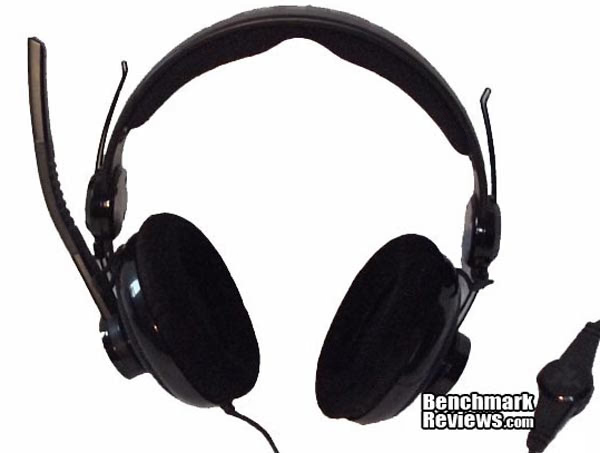
Razer provides an in-line volume control as well as microphone on/off functionality. The volume control does work independently of your computer audio, so set one and leave it to avoid confusion. The noise-filtering microphone works well, and has a flexible midsection to bend the microphone to whatever position you like.

Very soft earpads that measure 3 ¾ inches wide from outside edge to outside edge, and 2 ¼ inches wide from inside edge to inside edge, feature a combed cotton cover for added comfort. The idea behind these circle shaped earpads is to provide maximum comfort for the user, to allow you to wear your headset longer without the common irritation they provide.
Testing & Results
Results
Razer designed this headset with comfort in mind, and it definitely delivers on that front. The Carcharias, which sells for $79.99 (Newegg) offers many comfort-added perks, as well as some other bells and whistles. In this section, I'll inspect those features and offer my take on how they perform.
Headset Comfort
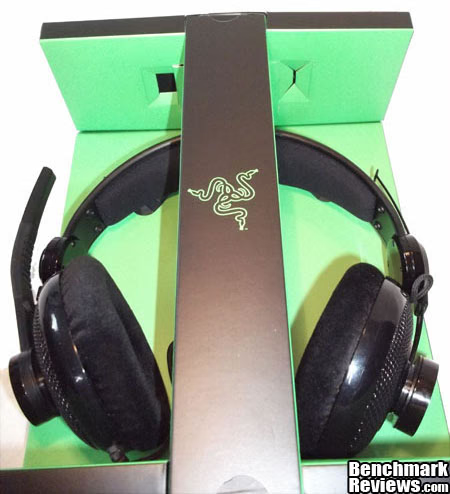
As many gamers know, frequently you wear your headset more than just about anything. I'm a fairly hardcore gamer, and frequently log 8 hours or more in EVE Online. Carcharias is light, and doesn't pressure the top of my head at all. I have an admittedly large head, and am sensitive to pinching, and I wear this headset almost as small as it will go. The 3 ¾ inch foam earpads were large, and very comfortable, even after hours of continuous wear. The covers allowed the cups to breathe and I had no perspiration issues. They are effective at canceling outside noise, however, they do let outside noise in a bit. I was very pleased with how the earpads sat on my ears, as I wear glasses and frequently find that headsets pinch my glasses into my head. I have not run into that issue with this headset. The microphone boom is adjustable, and it's easy to find the perfect position for the microphone.
Audio Performance
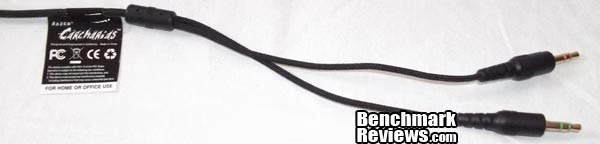
Carcharias uses 40 mm (1.6 in) drivers, which means there's a decently large range of frequency response available. Razer specifications indicate a low 20Hz bass and high 20,000Hz, and it delivers. I would have like to have a bit more from the bass at the lower end, but I believe that's more of a personal preference than an issue with the headset, ad it performed well at all ranges. Solid ranges, and not bad performance with music. According to Razer specs, the Carcharias offers a sensitivity of 102 dB (@1kHz), although most users won't raise the volume beyond 70 dB. The microphone has decent characteristics, with a range of 50-16,000Hz and a Signal-to-Noise ratio of 50 dB. Designed for an analog connection, the Carcharias is compatible with any 3.5 mm audio jack, which is still standard on modern motherboards.
Functionality
The Carcharias is a very comfortable headset, without too many unnecessary bells and whistles. There are many different types of headsets out there, and this one probably would be best described as midrange in price. The inline volume control is standard on most headsets, as well as the microphone mute. The main selling point to me personally is that the headset fits my head, and doesn't pinch my glasses, and yet still offers good sound quality.
Headset Final Thoughts
Headsets, especially those designed with gamers in mind, are quite popular since more and more games feature VoIP technology. Most communities in games require some form of VoIP software, whether it's packaged within the game itself, or external such as TeamSpeak, Mumble, Ventrilo or Skype. Not everyone buys a headset for the purpose of gaming though.
Razer Carcharias Conclusion
IMPORTANT: Although the rating and final score mentioned in this conclusion are made to be as objective as possible, please be advised that every author perceives these factors differently at various points in time. While we each do our best to ensure that all aspects of the product are considered, there are often times unforeseen market conditions and manufacturer changes which occur after publication that could render our rating obsolete. Please do not base any purchase solely on our conclusion, as it represents our product rating specifically for the product tested which may differ from future versions. Benchmark Reviews begins our conclusion with a short summary for each of the areas that we rate.
It's not easy to grade the appearance of a headset, as there are so many different types. The Carcharias has a unique aspect in the circular earpads, and although this could seem a throwback to older style (read pre-2000) headphones, they make the headset look less square and boxy. It's not over the top, nor is it plain, it's somewhere in the middle. The Carcharias has a solid construction, and feels like it would stand up to many years of use, short of crushing it. The padding all is very well attached, and the earpads are very secure in the headset, although they can be removed.
For a mid-range analog gaming-centric headset, the Carcharias has good sound quality. The drivers offer a decent frequency range, but I do feel it could use a little bit more bass. It offers a nice balance of mid-range sound for both voice communication and music. The microphone does pick up sound when poorly aimed, however you are much quieter than when the microphone is properly aligned. On the flip side though, the microphone does not pick up a lot of background noise, which is nice.
As of September, 2012, the Carcharias is available for $79.99 at Newegg. This is a little higher than most mid-range wired analog headsets, however for the comfort factor alone, I would happily spend this. Based on the product alone, Carcharias delivers more than most other headsets. In my opinion, I could justify the extra cost of the headset for the ability to wear it for 8 or more hours without getting a headache. This, however, could be subjective due to my glasses, shape of my head, and personal preference.
Pros:
+ Comfort, comfort, comfort+ Good Sound Quality
+ Noise-cancelling microphone works
Cons:
- Little too small of bass for me
- Not for those with small heads (pro for me, con for others)
Ratings:
-
Performance: 9.00
-
Appearance: 8.00
-
Construction: 9.50
-
Functionality: 8.75
-
Value: 7.50
Final Score: 8.55 out of 10.
Benchmark Reviews invites you to leave constructive feedback below, or ask questions in our Discussion Forum.
Reader comments from the original article
8 comments were posted before commenting closed. They are preserved as written. Original avatars no longer resolve and are shown as a placeholder.
Removeable Earpads Bruce Permalink:
Just wondering how easy it is to remove and replace the earpads. They tend to wear out on me, and I end up replacing them a couple times before I'm tempted by a new set of phones.... {%^D
Removeable Earpads Ami Young Permalink:
They remove and replace fairly easily, but they won't just slide off and on. Requires a little fiddling. The earpads on that seem fairly durable as well.
Longevity/Use Steven Moeller Permalink:
I've heard extremely good things about RAZER hardware, about function and precision and that sort of thing, and I've heard extremely bad things about RAZER longevity, and for every product type, as well. The only conclusive thing I've determined, from both those that like their products, and those that don't, is that they never seem to last long. Some of the worst PC hardware horror stories I've heard have been about RAZER products, including one about a NAGA coming apart in my friends hands as he played. This guy treated his hardware more gently than his toddler. I'm left wondering if this is a quality control issue? What are your thoughts, Ami?
Longevity/Use Ami Young Permalink:
So far, they seem to have held up well. I'm not a very gentle person with my hardware, and they've put up with my abuse. I wear them around 8 hours a day, every day, and nothing's been shaky on them. I've heard of experiences with Razer products in the past, but so far, so good for me. They've been dropped and pulled off my head semi-violently (I stood on the cord), and nothing's moving in the connections and the headset itself is showing no damage.
Longevity/Use Luke Permalink:
I'm thinking about buying this headset because I really like razer products. I use a DeathAdder 3.5G and it looks very sturdy, not just like it's going to break soon. Considering that the Genius gaming mouse I had before (yea, Genius is bull#) broke in less than one year in my hands, this Razer mouse is doing pretty well. I'd say that, if the headset is as good as the DeathAdder, I'll have no regrets.
RE: Longevity/Use Ami Young Permalink:
So far, so good. I've had it for a couple months, still find it comfortable and I've pitched it at the floor in a fit of MMO rage a few times.
RE: RE: Longevity/Use Jacob Permalink:
I have had the same experience as Ami. The only downside to them I found what that the microphone is not resistant to dogs and the connecter is bent really easy when the cat knocks your laptop off the counter onto the connecter that's in the computer. Other than that there is no microphone and I have to fiddle the connecter, they still work amazingly well.
RE: Longevity/Use Lasse Hauberg Permalink:
I've been having a these for almost 3 years now, and i'm only just starting to think of replacing them. They have never bailed out on me, nor has the quality ever dropped in them. I can only recommend them.