
Planar PX2611W 26-Inch Widescreen LCD Monitor
Planar PX2611W 26" Monitor
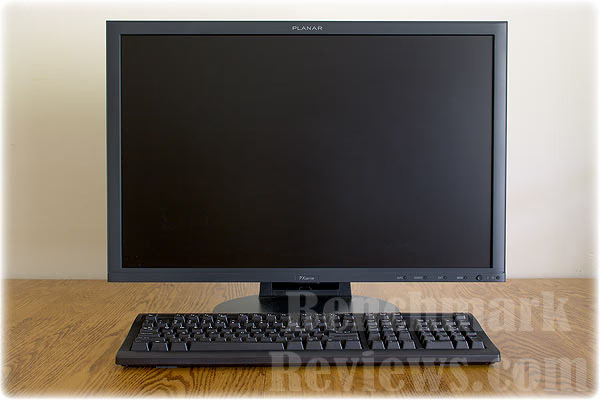
Making a splash is Planar (PLAY-nar) with the very competitive PX2611W - a 26 inch widescreen LCD monitor that is ideal for most PC use including web, photography work as well as gaming. It features a native resolution of 1920 x 1200 WUXGA with 8 bits of color per pixel (as opposed to six), has two video input ports - Digital DVI-D with HDCP and analog VGA, a wide color gamut, and is using the same internal LCD panel as the high-end NEC 2690WUXi, yet currently sells for $500-$600 less. It retails for $999.
PX2611W Specifications:
Product Name PX2611W
Planar Part Number 997-3497-00
Viewable Size 26 inch diagonal
Contrast Ratio (Typical) 800:1
Viewing Angle (Typical) 178° Horizontal and Vertical (specified at CR>10:1)
Response Time (Typical) 5ms GTG featuring Planar's RapidVideoTM accelerator, 12 ms (5.5 rise, 6.5 fall)
Brightness (Typical) 500 cd/m²
Display Type LCD Active Matrix Flat Panel Display (TFT)
Display Resolution 1920 x 1200 WUXGA
Tilt Range -5° to +40°
Palette 16.7 million colors
Pixel Pitch 0.2865 mm
Refresh Rate 50 to 76 Hz (60 Hz recommended)
Dimensions (W x H x D) 23.39" x 18" x 10.77" (height is adjustable 2.22" from 15.78" to 18")
Dimensions without Stand 23.39" x 15.27" x 3.74"
Panel Depth 3.74"
Display Weight 24.7 lbs. (net), 29.5 lbs. (shipping), 11.2 kg (net), 13.4 kg (shipping), Weight without stand: 16.4 lbs. (net)
Video Inputs Digital DVI-D with HDCP (DVI-D cable included), Analog (VGA), USB 2.0
External Connections (1) DVI 24-pin connector, (1) Analog VGA D-sub 15-pin video display, (1) USB Hub 4+1
Compatibility PC and Mac (adapter may be required for Mac)
Power Supply Internal
Power Consumption 135 Watt (2 Watt Standby)
Power requirements AC 100-240 VAC, 50/60 Hz
VESA Compatible/Location Built-in 200 x 100mm VESA, back
Product Approvals UL/cUL, CE, FCC-B, TUV/GS
Service and Support 3-Year Customer FirstTM warranty featuring FREE 2-Day Advance Replacement for three full years
Options / Features RapidVideoTM accelerator, QuadstandTM with swivel, tilt and height adjustments, 1-touch auto-adjust, anti-glare coating, 200x100mm VESA mount, Kensington Security slot
This feature list looks very promising. A three year warranty stands out nicely. One thing that you might need are more types of video input ports such as 'component.' There are HDMI to DVI-D converters so that you can use an HDMI device with the display. Spec lists are fine and helpful, but don't give the whole picture, so to speak.
Questions? Comments? Suggestions? Visit the Benchmark Reviews discussion forum for this article.
Closer Look: Planar 26" LCD
So how does the display look? Amazing. Don't all LCD monitors look great? Not all LCD monitors have the same display quality. The major factor is what type of panel it has.
Each type of panel has different characteristics that are desirable and, as you get cheaper, undesirable. When you read the marketing specs or characteristics of an LCD panel, rarely will they divulge the panel type, which is arguably the most important thing to know.
The basic panel types are, from the cheaper to the more expensive:
TN - The cheap panel. 6 bits per color. Lesser viewing angle freedom. Most are unable to display a full 16.7 million colors. TN are often fast for gaming though. Seen a cheap LCD panel that seems too good to be true? It may be a using a TN panel.
MVA - a compromise between TN and IPS
PVA - very high contrast ratios such as 3000:1, better color, 8 bits per color
IPS / S-IPS - Widest viewing angles, 8 bits per color, superior color reproduction compared to PVA
There are variants of these types of panels, too.
Upon request of the polite and quickly answering Planar phone tech support, they told me the PX2611W is using an S-IPS panel. What they didn't say, but is talked about in online forums, is that it is using the same panel as the NEC 2690WUXi.

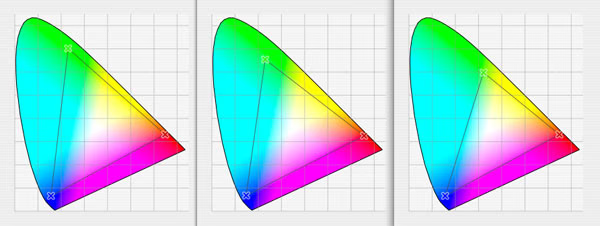
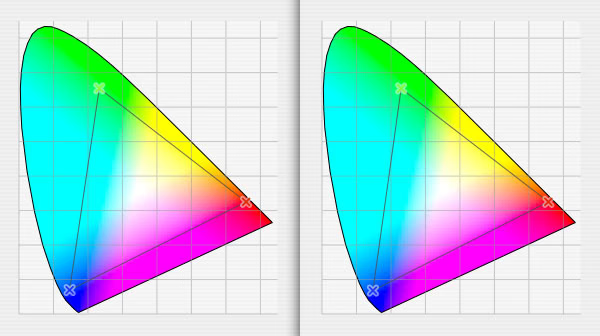
The NEC has many high-end features that the Planar doesn't, which professional imaging experts may require. Most people don't need or can't afford those extra features in the NEC. A color gamut spectrum test reveals an identical color spectrum range as the NEC, which supports the same panel claim.
Hands on report..
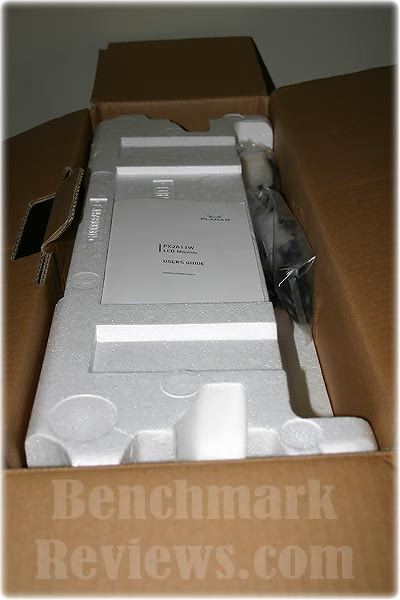
The monitor came via FedEx from an online retailer (my own money spent) in the Planar box. It was not double boxed, nor was it damaged.

Questions? Comments? Suggestions? Visit the Benchmark Reviews discussion forum for this article.
Planar PX2611W Hands On
Once out of the box, after some wonderment and looking at the included guide, I was able to straighten the monitor upright on the stand by pulling somewhat hard.

The panel had a few minor fingerprints on the edge of the actual display area. I was able to remove them with a damp soapy cloth.

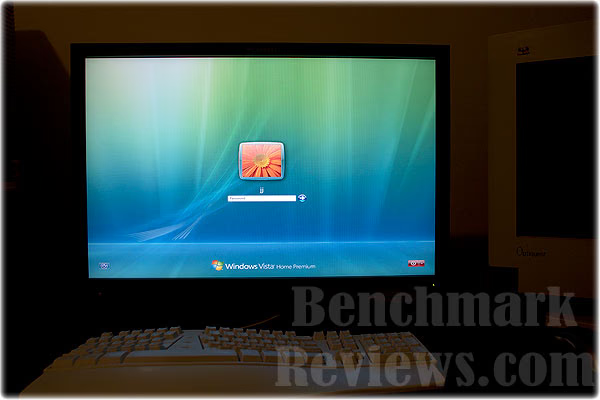
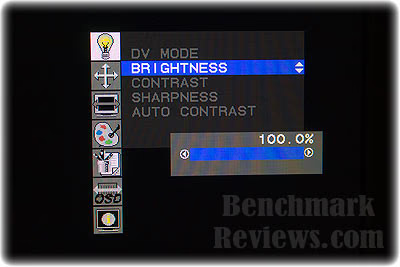
After plugging it up, my first task was to boot up the computer and change my desktop resolution to 1920x1200 using 'display properties' in Windows control panel. My first reaction was that this is a big upgrade in size to my old 21" CRT. Everything looked amazing. It was too bright by default, so I lowered brightness to 14% and contrast to 36% using the on-screen menus. It's still brighter at those settings than my CRT was. Your tastes may vary. I'm sensitive to bright light and I keep computer room dim, but not dark. I think most people will turn the brightness down at least some.
Questions? Comments? Suggestions? Visit the Benchmark Reviews discussion forum for this article.
Planar Hardware Analysis
My unit has no dead or stuck pixels. Planar will replace the display if there are three or more dead or stuck pixels. If there are less, it depends on where they are located on the screen. There is a mild anti-glare coating on the panel, not a glossy coating.
LCD displays have always been sensitive to viewing at angles. There is a little white glowing at a horizontal angle, much like S-IPS panels do. Higher vertical angles give more glow than horizontal angles. Comparatively, PVA panels (Like the Dell 2707) will lose color saturation at higher angles. There always seems to be a trade off. The slight glow from horizontal angles is not noticeable except, when there is a large black area on screen. It isn't distracting in typical use, including in games or even in dark scenes. The vertical angle white glow is distracting, but who sits at high vertical angles from their screen?
For daily computer use, I do photography, web surfing, e-mail, and gaming while sitting right in front of the screen. :) I immediately noticed how bright areas in photos retained detail while before, my CRT did not. Also, the Planar showed a lot of detail in shadows compared to the CRT. This display can push some bright pixels, while keeping details. Shadows and dark areas look great too. It is vivid to the eyes with rich colors that jump out. The sharpness is outstanding. Individual pixels are small, yet visible, but not too small for my taste. The dot pitch is .2865mm or about 1/3 of a millimeter. That's a little bigger than average for LCD computer displays.
The following graphs show the color gamut of AdobeRGB (left), Planar PX2611W (middle) and sRGB (right).
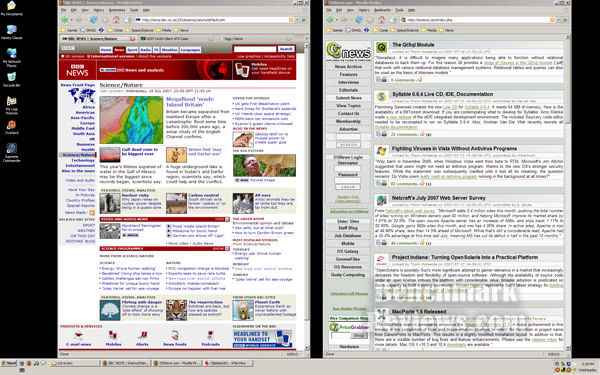
For web surfing and general application use, I find that the display is very capable. It's so very crisp and sharp. The text is very clear and that is easy on the eyes. I can easily have two browsers open on the screen, next to each other. If your computer won't do the screen's native 1920x1200 resolution, the monitor will scale the screen (more on that later) well. 1280x1024 and 1024x768, while a bit soft, looked fine on the desktop for general use. 1280x720 worked fine, too. 1440x900 uses the same aspect ratio and so will fill the screen properly in aspect mode (more on that later too).
For gaming, the monitor tests to a little bit less than one frame of lag (about 12ms) . This is very good for an LCD. The test was using a VGA splitter comparing it to a CRT. CRTs have virtually no lag and are a good comparative benchmark. This LCD has no electronics to introduce input lag such as DCR (dynamic contrast), and no color critical electronics. All good for gaming!
PC Games I used to test the LCD were Battlefield 2142, Overlord and Supreme Commander. For gaming I have a one word review summary. WOW. There is no ghosting. I'm experienced and have been gaming for many years and I'm very picky. I know about lag and yes lag is a bad thing. Yes, I can detect a tiny bit of lag but, in no way did it affect my gameplay. For areas moving very fast, there is some blur, this is something all LCDs have. Supreme Commander on my 21" CRT felt claustrophobic and that's a big reason as to why I didn't play it very much. On this Planar 26" in 1920x1200 I can see the battlefield well. Everything in the game is vivid and clear. I'm going to be playing SupCom a lot more, it's like a whole new game now.
Overlord is a fun game with great graphics that came out in late June. It uses HDR (very bright glowing highlights) and because this display is so very capable of pushing the bright pixels, Overlord looks simply stunning on it. I played Overlord for about fifteen hours at 1920x1200 without any issue on my nVidia 8800gts 320MB video card. I've never seen anything like it. Wow. I suggest that you use either the monitor's sRGB or the 'user' color mode for gaming. For games that use a lot of texture memory, you may need 640MB or more of RAM on your video card for 1920x1200, or you may need to turn the game's texture setting to medium or low. For the savvy user, you can use a program like Rivatuner to provide texture memory usage while in-game.
Battlefield 2142 plays fine. My rank is Brigadier General so, I have lots of experience in it. The lag would be imperceptible to 95% of people, in my opinion. If you are a top professional gamer you would probably notice the approximately twelve or so milliseconds of lag.
Battlefield 2142 and other games, do not support widescreen displays well. This is not the fault of the monitor. The PX2611W has three 'expansion modes' to accommodate standard the 4:3 aspect ratio and also to accommodate lesser resolutions (maybe your computer or device won't go as high as 1920x1200). These expansion modes are called 'real', 'aspect' and 'full'.
Real mode correctly does a 1 to 1 pixel match from the video source, leaving a black (you can pick the color) area around the image if it is not in the native resolution.
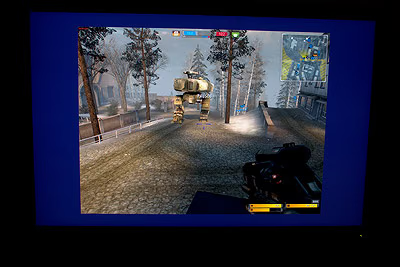
Aspect mode will stretch to fill the screen vertically and keep the correct aspect ratio so that things don't look flattened. In full mode, the display will stretch the video source vertically and/or horizontally to fill the entire screen.

I found that these modes all work well and look fine, except 640x480 computer power-on text screens sometimes stretch horizontally, but not vertically (looks odd) in aspect mode. In Battlefield 2142, a non-native resolution of 1280x1024 in 'aspect' mode looked and played just fine, if just a little soft. Unless the video mode you are trying to display is very low such as 640x480, like DOS mode in full screen, you might not notice the softening and it won't be distracting. The PX2611W softens the edges of the pixels in those cases so it isn't distracting.
There is no one-button toggle for changing the expansion mode, something I'd like to have, even if such a button was hidden from direct view. To change expansion modes it is a five step process: Press menu button; press the joystick-like controller button down once; then press the controller button; select a mode; then press it again. It's not particularly user friendly, but it works. It might be something you set only once or once in a while.
One unfortunate note: There is undesirable color banding at 'real' (1 to 1) mode at 1080p and 1080i (1920x1080). This applies to devices like a PS3 or cable boxes or any device that sends a 1080p or 1080i "high definition" signal to the display. The banding is not visible in movies but it is in games. The banding disappears in 'full' aspect mode. This means that you might notice some quality loss at 1 to 1 in those modes. If you use 'full' aspect mode, the image will be stretched vertically some but have no banding. These modes are the only ones where I noticed the banding. Native 1920x1200 doesn't have that banding nor does any other resolution I tested. Planar could perhaps release a firmware update to fix the 1080p/1080i color banding if enough people complain. To be as clear as possible: the color banding does not happen with PC's or Macs at 1920x1200 at 32bit color when DV mode is at the default TEXT mode even if you are playing a movie or game.
The display is limited to 60hz or 60 frames per second. It doesn't flicker at 60hz refresh rate like CRTs do. You can use a 75hz refresh rate, but it will skip every fifth frame so for gaming use a 60hz refresh rate if you want maximum performance from your video card. This is normal behavior for S-IPS panels. 60 FPS is smooth for me and I find that what makes a game feel slow, is when it slows down below 40 FPS. With my CRT, I used to keep my refresh rate at 100hz specifically to get as many frames as possible, but that doesn't apply to LCDs in the same way.
Questions? Comments? Suggestions? Visit the Benchmark Reviews discussion forum for this article.
Physical Characteristics: PX2611W
All the plastic is near black. The display has narrow, smooth plastic borders around the image area. The word "PLANAR" is in dark grey in the top middle and the model number PX2611W is in dark grey in the bottom middle. I find the overall design style of the display to be to my liking.
The swivel function works well, has a lot of movement and works where the base meets your desk. So, if you swivel it far to the left or right, the monitor isn't at risk of falling over. The stand has four large rubber feet. The base connects to the main panel unit via a double hinge. There isn't much movement in raising and lowering, maybe two inches. The panel can be tilted quite a bit. Tilting it back you will hit a much stiffer tilting zone after about five degrees back. I'd like to see that stiffer boundary moved back more but I think it will work for most people just fine as it is.
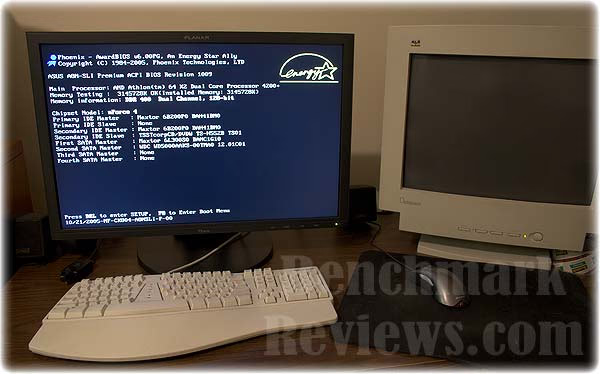
The only light is a green power light that turns amber when on power saving mode. On the rear of the display, is a nice physical I/O power switch and a big PLANAR tastefully embeded into the plastic.
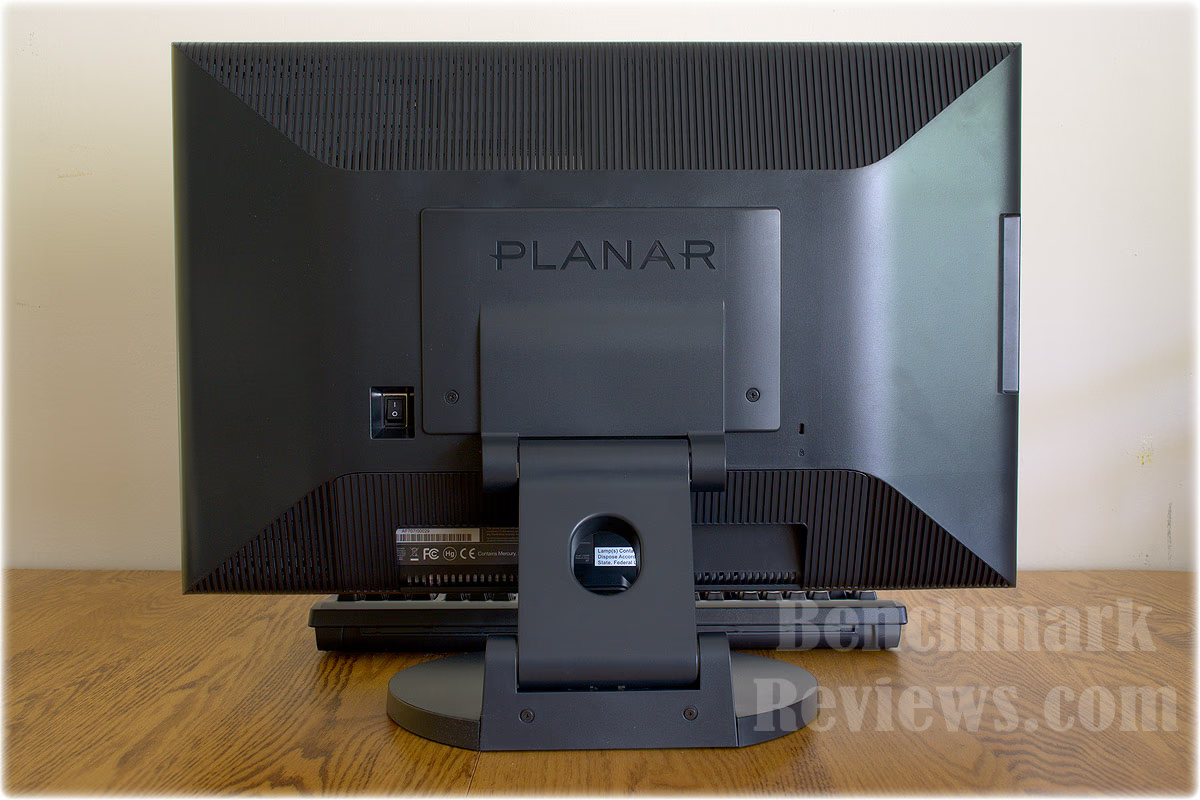
The top of the back side of the unit has grills across the length to let heat quietly escape. It gets warm, but not hot. Four female USB 2.0 ports are on the left side of the monitor, out of direct view but not hard to reach, about a half inch back from the edge.

The front of the display has six buttons in the lower right corner: AUTO, SOURCE, EXIT, MENU, the four directional controller button, and a power button. No button is back lit so if your room is darker you might need to search a little. The two most used buttons are next to each other, the MENU and the controller button and the latter is much bigger so that helps in determining which one in the dark. AUTO doesn't seem to do anything for me. The manual has conflicting words in the description "Hot key for manually auto adjusting the display." The SOURCE button is a toggle button to switch between DVI-D and VGA video source. EXIT properly exits from the on-screen menu.
Questions? Comments? Suggestions? Visit the Benchmark Reviews discussion forum for this article.
Planar 26" PX2611W Conclusion
The Planar 26" PX2611W is a great all-purpose widescreen monitor that delivers an incredible image. It delivers a great value, considering what you are getting, a 26" S-IPS LCD monitor. A three year warranty makes it a more comfortable buy too. Computers and video equipment are increasingly capable of pushing out great color at high resolutions and this display can handle that in stride. The fact that it is great for PC gaming pushes this display over-the-top and into the 'superb for just about anything' category.

For those of you who spend a lot of time at the computer, if you invest wisely in your display you won't regret it. You'll thank yourself for it. Most people keep the same display while they upgrade their computer more than once. Getting a monitor that is better able to handle that upgrade process is wise. The Planar PX2611W is just such a monitor.
The following graphs show color gamut's of the NEC 2690WUXi on the left and the Planar PX2611W on the right.
Pros:
* 26 inches of widescreen love
* Price competitive for high end S-IPS panels
* Beautiful vivid color - 92% of the AdobeRGB color standard (wide gamut)
* Very bright when you need it to be
* Very sharp display is easy on the eyes.
* Low latency and very low input lag means it's great for video and gaming
* S-IPS LCD panel - top of the line. Better viewing at angles than other panel types.
* Fewer quirks/problems than many LCD panels out there.
* Planar tech toll-free support answers phone quickly, is helpful and polite
* High native resolution of 1920x1200
* PC 3D video cards are catching up to the 1920x1200 resolution
* Three year warranty
* Nice design
Cons:
* No 'component' video input port
* Color banding at 1080i or 1080p, not visible in movies but is noticeable in PS3 games.
* 1080p and 1080i over VGA isn't usable (720p is fine)
* Some motion blur inherent to LCD monitors
* Doesn't work underwater now that the ice caps are melting
Ratings:
* Overall image quality: 9.75
* Color: 9.5
* Sharpness: 9.6
* Latency: 9.4
* Value: 9.1
* Functionality: 8.5
Final Score: 9.4 out of 10
Notes & tips:
* Unit aspect Ratio is 16:10
* Use 60hz refresh rate for gaming. At 75hz the monitor will skip every fifth frame so there's no advantage there.
* Test machine used was AMD 4200+ X2, nVIDIA 8800GTS 320MB @ 650mhz, 3GB of RAM, WinXP and Vista
* Macs may detect the display as 1080i, in that case you'll need to manually set 1920x1200 after plugging it up.
* When not using the monitor, turn it off or use power save mode to conserve the life of the lamp inside.
Questions? Comments? Suggestions? Visit the Benchmark Reviews discussion forum for this article.
Reader comments from the original article
1 comment were posted before commenting closed. They are preserved as written. Original avatars no longer resolve and are shown as a placeholder.
Review of 27inch? Bill Permalink:
I just bought a PLANAR PX2710MW Black 27", it looks great and cost $300 on newegg. I would be interested in a review of it.