
Logitech MX-620 Cordless Laser Mouse
Logitech MX 620 Wireless Laser Mouse Review
Since 1981, Logitech has been making a name for themselves in the computer hardware scene. When you think of computer peripherals, you typically think of Logitech. This veteran company is usually a top choice when deciding to purchase any type of input device, ranging from keyboards to webcams. As a worldwide leader in pointing devices, it's no surprise Logitech has learned to adapt to the current market and reinvent the mouse each time they release a new product. With the Logitech MX-620 cordless laser mouse, model 910-000240, the company doesn't disappoint.
One type of computer peripheral that's often overlooked while upgrading or building a new computer is the mouse. Not a lot of thought is given to the type of mouse that one would purchase. It's generally just a quick, thoughtless decision, and that's the end of it. With the current price tag of input devices coming down - including keyboards and mice - there's no excuse not to get a good one. Take the Logitech MX 620 Wireless Laser mouse for example. Boasting hyper-fast scrolling, laser tracking, an extremely long battery life, and a value that can't be beat, this mouse is a force to be reckoned with.
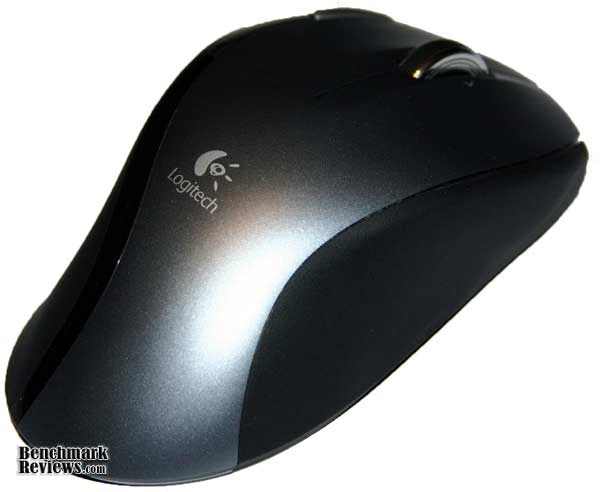
Instead of focusing on a gaming mouse, Logitech has taken a different approach by combining a variety of different features from a wide range of their already-released mice. Five programmable buttons, an ergonomic design, and a 2.4 GHz wireless connection make the Logitech MX 620 a powerful device, both in the aspects of gaming and productivity. As a hardcore gamer (and someone who doesn't like change), I was slightly hesitant in using a new mouse. I was also a bit apprehensive because I've never used a wireless mouse before, and I was afraid of wireless interference. I need a mouse that's reliable, structurally sound, and ergonomic. Does Logitech live up to it's name with the MX 620 wireless laser mouse? Keep reading to find out.
MX 620 Features
-
Ergonomic right-handed design
-
Microgear Precision scroll wheel
-
4-stage battery level indicator
-
5 programmable buttons
-
Touch-to-search button
-
Laser Engine
-
12 month battery life
910-000240 Specifications
-
Model number: 910-000240
-
Dimensions: 14 x 50 x 6 mm
-
Weight: 145 g
-
DPI Sensitivity: 1000
-
Color: Black
About Logitech
Focused on innovation and quality, Logitech designs personal peripherals to help people enjoy a better experience with the digital world. We started in 1981 with mice, which (new at the time) provided a more intuitive way of interacting with a personal computer. We became the worldwide leader in computer mice, and have reinvented the mouse in dozens of ways to match the evolving needs of PC and laptop users.
Since those early days, we have expanded our expertise in product design beyond the computer mouse, with a broad portfolio of interface devices that are the "last inch" between you and your computer or your console game, digital music or home-entertainment system.
With products sold in almost every country in the world, Logitech's leadership in innovation now encompasses a wide variety of personal peripherals (both cordless and corded), with special emphasis on products for PC navigation, gaming, Internet communications, digital music and home-entertainment control.
For each of our product categories, we study how our customers use their digital devices, and then our designers and engineers set their sights on how we can create a better experience with those devices - richer, more comfortable, more fun, more productive, more convenient, more delightful.
Closer Look: Logitech MX 620
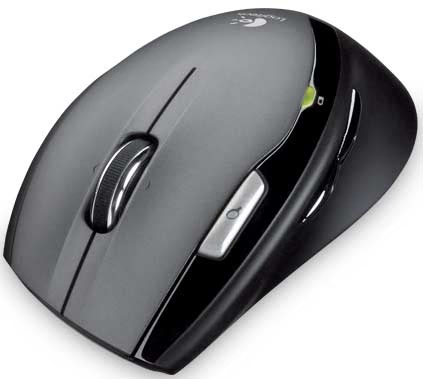
The Logitech MX 620 features a standard ergonomic design, fitting the right hand perfectly. The Quick Search button is adjacent to the left mouse button, and the two side buttons are within comfortable range of the thumb. The wireless receiver is also relatively tiny, which doesn't obstruct any other peripherals or cords you may have plugged in to a nearby USB port. The MX 620 came bundled with the wireless receiver, 2 AA batteries and an installation guide.
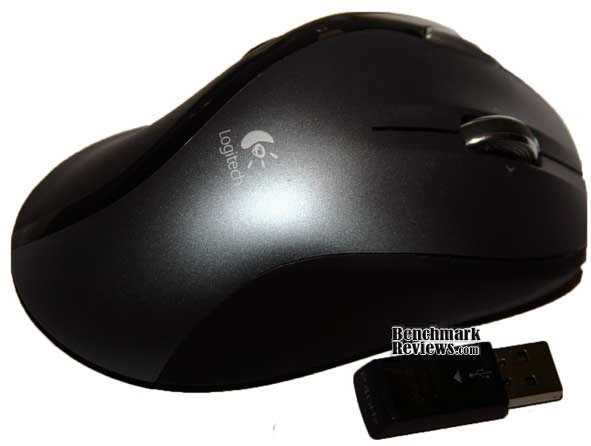
The mouse wheel has the ability to tilt left and right, creating two more programmable buttons. Sometimes these buttons are accidentally clicked while attempting to scroll, which may cause a minor annoyance. However this does not happen very often, and you quickly learn the correct position of placing your finger on the wheel as to not press the buttons. You can also see the battery status indicator, which flashes red if your battery level is running low.

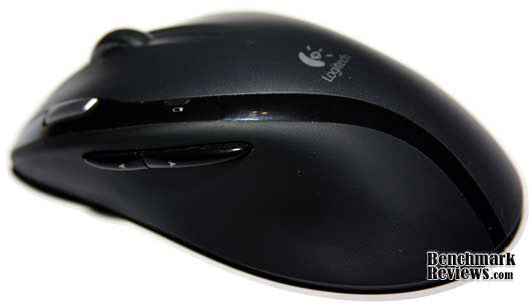
The two programmable side buttons, as seen here, are a welcome addition to this mouse. Due to the customizable software that controls this device, you are able to program the buttons to do a certain task in multiple programs. For instance, you're able to go back a page in Firefox, and reload your weapon in an online game using the same button. To use the quick search function, just highlight a word or phrase, and press the button to display your results in your favourite search engine. This is surprisingly helpful, and simplifies the process of searching for information online. Ideally I would have liked to see a few more programmable buttons, but the ones on the mouse have worked so well that it's not a major problem.
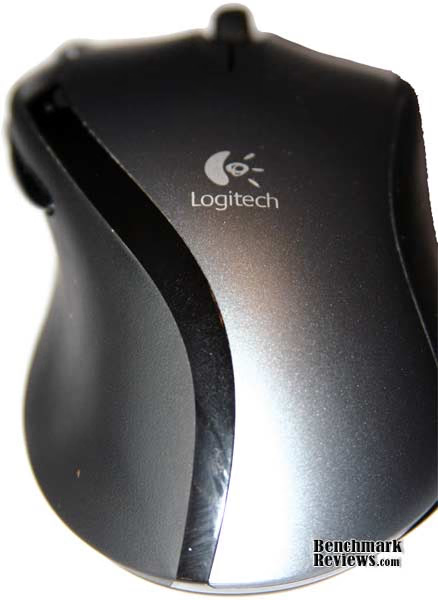
The bottom of the Logitech MX 620 is generic. It is equipped with a microgear scroll wheel switcher, a laser sensor, and an on / off button. The device takes two AA batteries, but unfortunately doesn't come with the ability to recharge them. However you wouldn't have to recharge them very often, for the batteries come with a 12-month life.

The Logitech MX 620 uses a thin rubber coating for the left and right sides of the device, and a plastic coating surrounding the top. The plastic does not feel cheap, and the device as a whole seems very solid. A tad on the heavy side, this mouse seems to be designed for medium sized hands. Sticking the center of my palm on the Logitech logo, my index and pointer fingers go slightly off the mouse. This can seem irritating at times, however the sleek ergonomic design of the rest of the mouse more than make up for it.
Logitech MX 620 Software Features
Every Logitech mouse or keyboard can be configured with the extensive customizable software offered by Logitech. Setpoint is a very powerful program; ranging from scroll speed to gaming options, this piece of software allows you to change it all.
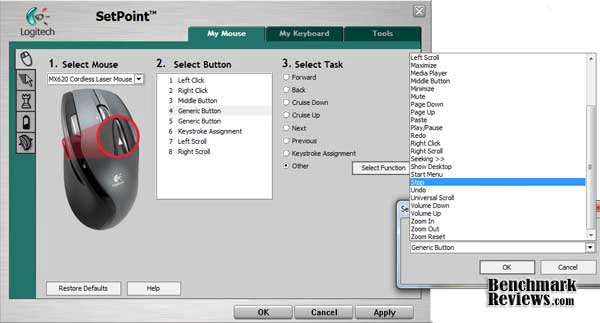
The default screen of the Logitech Setpoint software enables you to customize each button on the mouse separately. You're able to assign buttons a variety of different functions, such as forward, back, close, etc. You're also able to change which programs the tasks are used in.
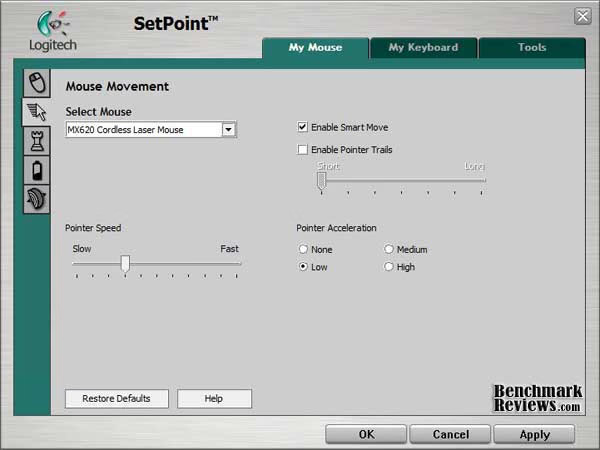
The Mouse Movement screen, as shown here, simply allows you to change the pointer speed and acceleration, as well as enabling Smart Move and pointer trails.
Now here is where Setpoint gets interesting. The Mouse Game Settings, as displayed below, enables you to change a variety of settings including mouse acceleration, and speed when a video game is detected. I didn't really change these settings, as the speed and acceleration on the MX 620 was already perfect.
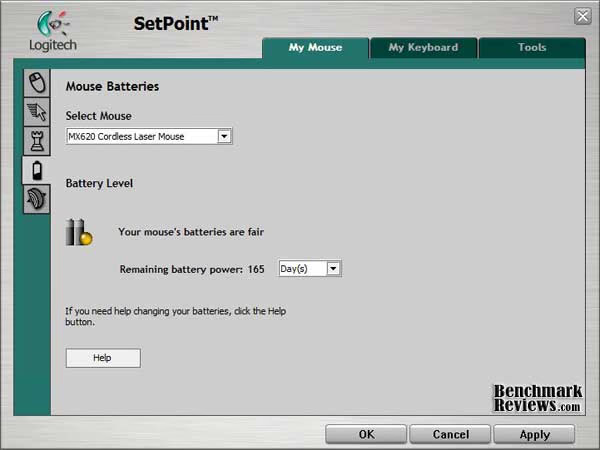
The Mouse Batteries page displays an impartially accurate gauge of your mouse's battery level. I have found that the majority of the time it shows the correct level.

Lastly, the MicroGear precision scroll wheel enables you to change the scrolling speed (both vertically and horizontally) to suit your needs in a wide range of programs, such as Photoshop. I rarely had the mouse wheel set to free-scrolling mode, due to unreliable scrolling. Because of this, I haven't changed any settings on this page.

Overall, the Logitech Setpoint software is a very dominant tool. It's extensive functionality and simplistic interface create an easy-to-use program which allows you to get the most out of your mouse.
Testing & Results
Testing Methodology
Throughout the several months of using the Logitech MX 620 910-00024, I've attempted to use the mouse in as many situations as possible. I've used it while surfing the web, doing precision tasks such as photo and video editing, and playing a variety of PC games.
Test System
-
Motherboard: Asus P6T
-
System Memory: 6GB of Corsair XMS3 DDR3
-
Processor: Intel Core i7 920
-
Video: XFX Radeon HD 4890 1GB
-
Operating System: Windows 7 Professional x64
Results
I can conclude that the mouse has generally not let me down. I rarely used the Hyperscroll wheel, as I don't often have the need to scroll through documents with thousands of pages. When I did use the free scrolling setting, I wasn't impressed; it didn't seem very solid. The programmable mouse buttons were really a nice addition to the mouse; I found myself using them very often. Furthermore, my hand did not get cramped or sweaty while using the MX 620 extensively. The mouse sits very comfortable in your hand, and slides across almost any surface with ease.
The only problem I've experienced: the mouse seemed to have difficulty while on my mouse pad. Let me elaborate: My mouse pad is not the cleanest, and because of this, it didn't seem to cooperate with the device. This problem did not occur that often, but often enough to be irritating. While playing games, I would be attempting to turn around 360 degrees and it would stutter for a second, then continue. This happened whenever the laser sensor went over a small accumulation of dirt on my mouse pad. You can imagine it's frustrating trying to get a headshot, and right when you have it aimed perfectly your mouse stutters. However, cleaning the mouse pad seemed to solve this problem for the time being. This problem is fairly easy to prevent (have a clean mousepad!) but it is annoying nevertheless.
Other than this minor inconvenience, my experiences with the Logitech MX 620 have been pleasant. I have not changed the batteries once, and I don't know how I ever lived without programmable buttons prior to using this device. The ergonomic structure was very well implemented, and the overall design of the mouse is ingenious.
Logitech MX Final Thoughts
The Logitech MX 620 Wireless mouse may not be the best device currently on the market, but it's an extremely well made mouse. Compared to similar mice within the same price range, the MX620 features an extremely long battery life, different programmable buttons, and 2.4 GHz wireless functionality. It's not designed for gaming, which is evident in the lack of programmable buttons and customizable options such as DPI and weight. Other higher-end mice may have these options, but they would also come with a higher price tag. However, it's still a very powerful mouse with a ton of functionality and great value.
Logitech MX 620 Conclusion
The Logitech MX 620 mouse is a very commanding mouse in terms of performance, construction, functionality, and value.
Performance with this mouse was generally outstanding. The only problem I had was with the occasional unresponsiveness of the mouse, but that was easy to ignore due to the vast functionality and quality that this mouse brings. There was no option to change the DPI or weight of the mouse, but this is understandable as it's not designed specifically for gaming.
The mouse looks fairly pleasing to the eye. The ergonomic design allows the mouse to rest easily in your hand, with all the programmable buttons to be within easy reach of your fingers.
A bit heavier than the average mouse, the MX 620 is a very solid device. The mouse wheel, however, is not; when set to free-scrolling mode, it feels a bit unsteady.
Functionality is where this device shines. There are 5 programmable buttons on the device, all which are able to be programmed easily for use in multiple programs.
The value of this mouse is also outstanding. Newegg.com lists the Logitech MX 620 for an astonishing $49.99, which is rare for a wireless mouse of this quality. There are several other online retailers that stock this mouse, so make sure to compare prices before making a purchase.
If you're a hardcore gamer who absolutely needs the latest cutting edge gaming technology, pass on this purchase and go after a mouse designed specifically for gaming (see here or here ); but if you're looking for a great mouse with a lot of functionality and performance to offer for an amazing price, pick this mouse up!
Pros:
+ One Touch Search button
+ Solid Construction
+ Ergonomic Design
+ Powerful software
+ Long Battery Life
+ Great Value
Cons:
- No adjustable DPI / Weight
- Mouse wheel unreliable
- Lack of Programmable Buttons
Ratings:
-
Performance: 8.50
-
Appearance: 9.00
-
Construction: 8.50
-
Functionality: 8.75
-
Value: 8.75
Questions? Comments? Benchmark Reviews really wants your feedback. We invite you to leave your remarks in our Discussion Forum.
Reader comments from the original article
2 comments were posted before commenting closed. They are preserved as written. Original avatars no longer resolve and are shown as a placeholder.
Get a Real Mouse Pad Brian S Permalink:
Come on...get with the 21st Century. Get a Ratzpad or something. You'll never know how you lived without it. I have a Logitech with the spinning wheel and I love it. I find it to be nice to easily flip my finger to get back to the top of the web page or to get quickly to the bottom. I've gotten to where I rarely use the indented setting because I like the smooth flow of the free wheeling mode. Just play with the acceleration settings.
Mouse Pad phuzz Permalink:
Or if you're too cheap to get a proper mouse pad (like me), you can just use a pad of paper, which is handy for scribbling on, and you can just tear the top sheet off if it gets grubby.