
Lilliput EBY701 7-Inch Touchscreen LCD Monitor
Lilliput EBY701-NP/C/T Touchscreen LCD Monitor
Touch Screen technology is quickly becoming the newest feature for everything from schools, to home entertainment, to cell phones. In the mobile computer market, a few brand names stand out; Lilliput and Xenarc. Today, Benchmark Reviews puts the newest Lilliput 7" Touch Screen, model EBY701-NP/C/T, to the test. This monitor cuts quite a bit of the price from its predecessor and touts better visibility in sunlight. The base model doesn't come with the transflective technology that cuts the glare completely, however. You'll have to spend a few hundred dollars more for that model.
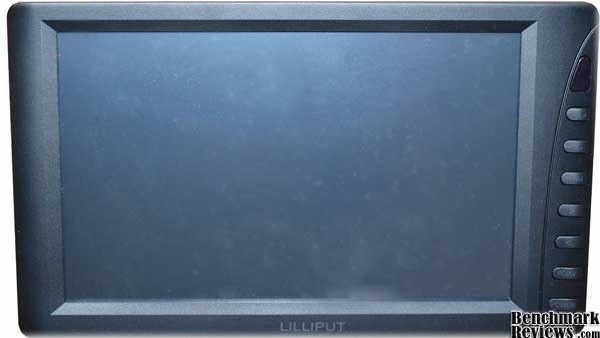
When Lilliput made this monitor available to the mainstream consumer at $179.99, it started allowing PC enthusiasts, who previously only dreamed of having a computer in their car, the opportunity to make this dream a reality. Combine with that Intel's release of a new dual-core Atom (the 330) motherboard/cpu/vga combo at $79.99 and you have the makings of a very inexpensive, yet quite powerful, mobile computing system. With Home Theater PC's becoming so popular, the CTPC (car theater PC) is just around the corner.
Benchmark Reviews has put this monitor through the gauntlet of mobile computing tests and is bringing you the results. Stay tuned to find out if this is the monitor for your own mobile system.
About Lilliput Electronics Co. LTD
Lilliput Electronics Co. was established in China in 1993. By 1995 they have made China's first ever mini LCD TV set. Since then, Lilliput has become the best selling Chinese brand name for mini LCD screens in the world. In 2004, Lilliput was named "High-Tech Enterprise of the Year" for the Fujian Province.
The following is some information from their website:
"Lilliput has regulated its strategy management from year 2000. To build up global marketing network, we have set up branches in America, UK, Canada, Hong Kong, Xiamen, Shenzhen; meanwhile, establishing communication and cooperation relationship of scientific research with Zhejiang University, University of Central Lancashire (UK) and other institutions both domestic and oversea so as to be the pioneer on the frontier of innovation field. Furthermore, Lilliput Optoelectronics Technology Co., Ltd, which setup in 2001, as an independent scientific research institution that specialized in LCD display, photoelectricity theory study, embedded computer system, sonar and microwave technology and development of relevant software applications.
Lilliput devotes herself to building a brand corporate with core value of honesty, innovation and humanity. Promoting "Innovation, Quality, Service and Harmony" as the tenet of her culture connotation, and emphasizing setup a developing model of enterprise grown up cohesion, which with technology innovation and humanity. Product series: Color LCD Display, Color LCD TVs, Car PC, Car Media, Digital Photo Frame, GPS Navigation System, Oscilloscope, Marine Radar, Sonar fish detector."
Company name: Zhangzhou Lilliput Electronics Co.,Ltd.
Brand name: LILLIPUT
Year Established:1995
Annual Outputs:180,000 units
Annual Turnover: USD 15,000,000
Business Type: Manufacturer & Exporter
Export percent:90%
Manufacturing Area: 8000 square meters
Employees: 300 staff
Business Range:
- Mini TFT LCD Monitor
- Mini VGA Touch Screen monitor
- Car PC
- Car Rear View System
- Oscilloscope & Multimeters
- Marine GPS System
- Ultrasonic Fish Finder
- Microwave Marine Radar"
Lilliput Touchscreen Features
Touch screen control;
With VGA interface, connect with computer;
AV input: 1 audio, 2 video input;
High resolution;
Built-in speaker;
Built-in multi-language OSD;
Remote control.
Lilliput EBY701-NP/C/T Specifications
-
Display Screen: 7 inch TFT LCD
-
Native Resolution: 800 × 480 (1,152,000) pixels
-
Display format: 4:3(800*600 default), 16:9 is optional.
-
Color System: PAL-4.43 NTSC-3.58
-
Ratio Aspect: 15:9
-
Contrast Ratio: 200:1
-
Brightness: 300cd/m2
-
Viewing Angle: 45/60(U/D),65/65(L/R)
-
Audio Output: ≥100mW
-
Input Voltage: DC 11-13V
-
Power Consumption: ≤9W
-
Dimension(mm): 192L × 115W × 30H
-
Weight: 474g
|
Accessories: |
|
|---|---|
|
VGA Cable |
1 Piece |
|
SKS Cable (AV / S end / VGA) |
1 Piece |
|
DC 12V Home Power |
1 Piece |
|
12V Car Power Adapter |
1 Piece |
|
Standalone Bracket |
1 Piece |
|
Remote Control |
1 Piece |
|
Touch Pen |
1 Piece |
|
Driver Disk |
1 Piece |
|
Operation Manual |
1 Piece |
Closer Look: EBY701 7" Touch Screen Monitor
When the Lilliput EBY701-NP/C/T monitor arrived, the first thing I noticed was that it was fairly well taken care of. It was wrapped in plastic, then in bubble wrap, and finally placed under a cardboard flap inside the box.
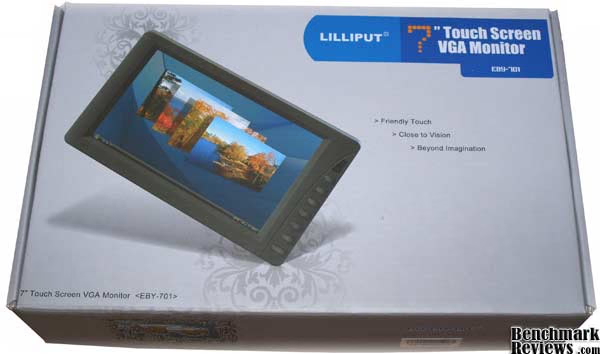
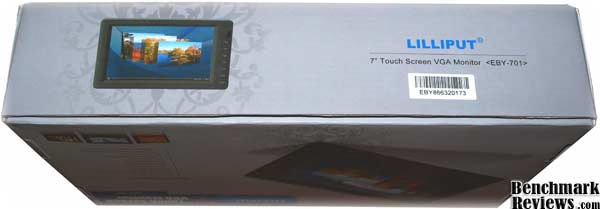
The box was pretty cramped with all the peripherals that came with the monitor, but it was all packed nice and neat, and I wasn't afraid that any of the components might have been damaged from rough shipping. After unwrapping the monitor from the bubble wrap and the plastic, I was surprised to find that it didn't have light plastic screen protection film that has become so standard on display devices recently. However, the bubble wrap and plastic wrap were sufficient protection. There were no dings or scratches of any kind on the screen.
This monitor was obviously designed towards use in a car, as it comes with the cigarette lighter power adapter. The adapter actually has a suppressor on it as well, which helps protect the monitor from any drops in voltage that tend to occur when you start the car, or when it idles really low. That's something you don't always see.

The stand came with a piece of wax paper on the bottom, covering the adhesive. It offers a nice alternative to finding a way to put the monitor in your dash. You can just stick the stand anywhere you choose.

The cable set up was pretty interesting. There is a cable with a mini-VGA plug that fits directly into the monitor. The mini-VGA plug has clips on the end that you push in to insert the connector. These clips then lock the cable into place and hold it quite firmly. I enjoyed this nice alternative to the standard screws.

That cable ends in a variety of different connections. There are AV connectors, as well as an S-Video connector, and a plug for the standard VGA cable.

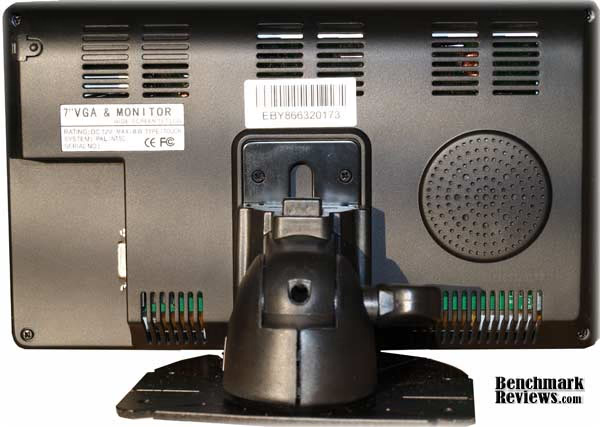
The AV connectors even come with audio-in connectors. There is a small speaker on the back of the monitor. I don't know why you would use it, but it's there, and you can plug AV cables in to use it.
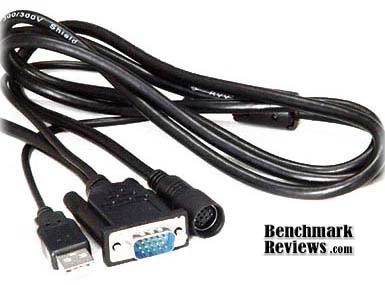
So to finally plug the monitor into the computer, you attach the VGA cable to the monitor break out cable. The two cables actually screw together after they are plugged together; another nifty feature that ensures the cables will remain snugly attached. The VGA cable also includes an attached USB cable used for the touch screen function. I found out the hard way that if you plug this cable in before installing the software, Windows Vista will discover the device as a tablet and the software won't be able to find it. So be sure to install the software before plugging in the USB cable.
Lilliput Touchscreen Detailed Features
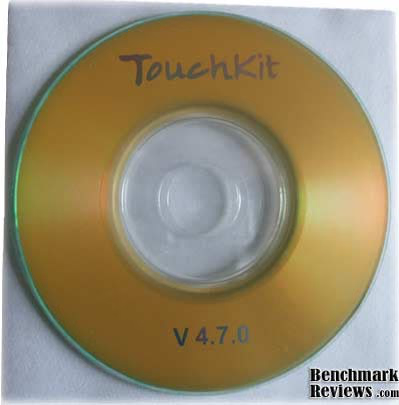
The monitor comes with an installation CD that installs drivers for the monitor and the touchscreen. The driver is created by egalax and updated drivers can be found at their website www.egalax.com.tw.
The touchscreen is surprisingly very sensitive. I was able to easily use my finger just as well as the stylus that comes with the monitor.
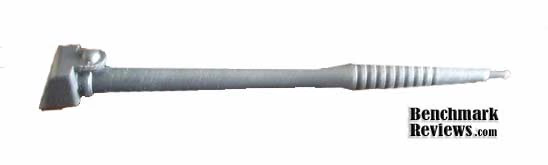
In fact, I would highly recommend using your finger, or another, softer device to control the touchscreen. The stylus that comes with the screen is very cheaply made. It is obviously not one of the highlights of the monitor. The plastic is hard and coarse and I am afraid that after using for a while, it will scratch the screen. Luckily, the sensitivity is such that you can use just about anything as a stylus for this screen.
The buttons on the front of the screen control the volume (if you are using the monitor's speaker), the menu, and the source input. When the screen is off, but plugged in, the power button is red. When you press the power button, all the buttons flash blue for just a second, then return to normal. The power button stays green if a video source is detected. If not, the screen turns blue and lets you know that no source has been found before turning black again. The power button is orange if no video input is found.

You can switch between the sources by pressing the PC/AV button, or by using the remote control. You can see the IR sensor above the panel of buttons. In fact, the remote does everything that the buttons do, so you don't really need them. This comes in handy if you car dash doesn't have a space quite big enough for the whole monitor. Covering up these buttons, as long as the IR sensor is visible, will not deter you from any use of the screen.

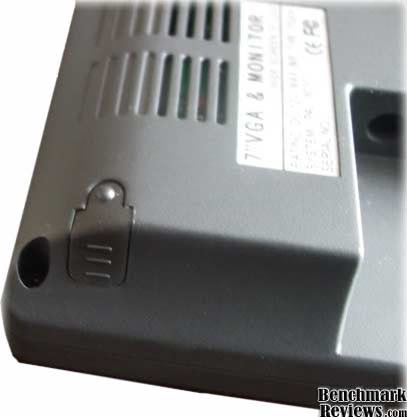
If you choose to use the monitor stand that comes in the package, it attaches quite easily to the back of the screen. There is small plate that must be attached to the back of the screen first, then the monitor slides on and off the stand by depressing the latch button on top of the stand. The stand rotates vertically a little over 90 degrees, giving you just about any angle you need. The stand does not rotate horizontally, however. So once you stick the adhesive to something, that is the horizontal angle you are stuck with.
Testing Methodology
The goal here is to test out the Lilliput EBY701 for use with a mobile PC. With that in mind, the test machine is designed to be a mobile PC as well. For comparison purposes, I will put the price from www.newegg.com beside each of the components for the test machine. This is so you can see the total cost of the car PC this screen is going to be used with. Then I will compare that cost to a top of the line GPS system. This is to show the price relativity between a GPS only machine in your car, and a CTPC that, besides GPS, will have bluetooth phone support, Wi-Fi, will play music, video, FM/AM radio, even games; far beyond what a GPS system alone will do.
Of course, this review isn't about comparison. It isn't about the affordability of an awesome CTPC. It's about the Lilliput EBY701 Monitor. So after our fun comparison, I will break down the monitor's performance in and outside of the car.
Test System
-
Motherboard: Intel BOXD945GCLF2D Motherboard - $79.99
-
System Memory: G.Skill PC2-5300 DDR2 667 240-pin 2GB - $24.99
-
Processor: Intel Atom 330 Dual Core Processor - included with motherboard
-
Audio: Realtek ALC662 6 Channel Onboard Sound - included with motherboard
-
Video: Intel GMA 950 - included with motherboard
-
Disk Drive 1: Western Digital Caviar SE 320GB 7200 RPM 3.0Gb/s SATA - $49.99
-
Optical Drive: Samsung SH-S223L SATA 22x DVD R/W - $23.99
-
Enclosure: Winsys Wi-01 Mini-ITX Case w/ 200W Power Supply - $38.99
-
Monitor: Lilliput EBY701 7" Touchscreen Monitor - $179.99
-
Operating System: Windows Vista Home Professional - $79.99 (after $20 combo discount with HDD)
-
Peripherals: Rosewill 25' VGA Cable - $12.99, Encore ENUWI-G Wireless-G Adapter - $15.99, AZiO BTD-V201 USB Bluetooth Adapter - $14.99, Rosewill RK-101 Keyboard - $4.99, GPS Receiver - $34.99
Total Price: $561.88
GPS Systems (for price comparison only)
-
Garmin Nuvi 765T 4.3" - $369.99 (That's just GPS, and only a 4.3" screen)
-
Clarion 4.8" Mobile Internet GPS -$699.99 (This one has bluetooth and Wi-Fi, a single core Atom processor, only 512K of ram and a 4GB hard drive)
Test Results
Once I had the monitor up and running, I played with a few of the settings to see what its limits are. The maximum resolution supported by this monitor is 1024x768. However, I wouldn't recommend running it that. The screen was pretty blurry at that resolution. Combine that with the extremely small icons and words and it makes for a difficult viewing experience.
The native resolution is supposed to be 800x480, but to get it to that, I had to re-install the monitor as a device that would allow that resolution, losing the touchscreen capabilities. At 640x480, the picture is very clear, but the icons are extremely large. That's not a huge deal, especially since I will be using it in a car and the large icons will be easier to poke at with my pudgy fingers. What makes this resolution too low, though, is the start menu and other menus. You will have to constantly scroll up and down through the menus because only a few items can be displayed at a time.
I recommend using 800x600. At this resolution the icons are a decent size and the clarity, though not as good as the lower resolution, is still very respectable.
The most amazing thing about this monitor is the touchscreen. As I stated before, you can use just about anything as a stylus for this. It responds very well to the touch, which is great for use in a car, as a home monitoring device, an HTPC controller, or just about anything else. The drivers have a four point calibration which it asks you complete upon installation. You can cancel and do it later if you want.
The four point calibration works very well, but it isn't comprehensive. The cursor doesn't always land right where your finger pushes after just the basic calibration. For that, the program also has a 9 or 25 point linearization. I recommend using the 25 point. Although the 9 point is a lot quicker, if you want pinpoint accuracy, you need to do the 25 point linearization. The calibration and linearization start in the bottom left corner of the screen. A red cross appears and you touch it and hold it until it turns blue. You continue this process for all 4, 9, or 25 points. Once you have finished, it calibrates for a second, and then gives you a success message.
Another great feature of this screen is margin enhancer. I had been complaining about not being able to minimize or close windows before I found this. Even getting to the start menu was a challenge at the higher resolution. Using the margin enhancing device solved this problem easily. It allows you to enhance the size of the reception area along the margins so that you don't have to touch exactly on the edge of the screen for the cursor to go there. Finally, I could stop cursing my fat fingers. There is an option for top and bottom margins, and one for the side margins. This way I could adjust only the top and bottom, and not worry about the sides.
The new LED backlight design works fairly well. It's not completely viewable in direct sunlight, but it's not terrible difficult to look at either. It's obviously not transflective, and you will have difficulty seeing the screen if it is bright where you are using it. However, it is a lot easier to see than my computer monitor with the light shining in from the window on to it. I can definitely tell that Lilliput has put effort into making the screen viewable in sunlight.
Lilliput Monitor Final Thoughts
So, overall, the EBY701 is a great value. It is an good, solid product at an affordable price. You'd be hard-pressed to find a touchscreen monitor with all these features for less. That being said, there is still plenty of room for improvement.
While the screen is viewable in the sunlight, it's nowhere near the quality of a transflective monitor. It is getting closer, however, and at hundreds of dollars less expensive, I can't complain too much.
The screen claims to be able to go up to a resolution of 1024x768. While it does support that resolution, it is very blurry that high and borders on unusable. It is far to blurry at that level for the product to use it as a feature. The native resolution of 800x480 was nearly impossible to get to as well. As I pointed out before, your best bet is to stay at 800x600.
The stylus for this monitor should be better made. Something with a felt or leather tip, rather than a hard plastic one would be preferable. I would hate to scratch the screen using the stylus that comes with it.
On a lighter side, the touchscreen sensitivity on this monitor is absolutely wonderful. I have an iPhone and I thought it's touchscreen was awesome until I used this monitor. Now I think I need a new phone. It just doesn't do it for me anymore. Using the 25 point linearization and the margin enhancement makes my fingers just as precise as a stylus, and they won't scratch the screen. The right click function works great. The only thing I would like to see is a flick function added. That way, instead of finding the scroll bar and moving it up and down the screen, you can just flick up or down to move it.
EBY701-NP/C/T Conclusion
In terms of presentation, the EBY701 performed very well. The box was packed tightly, but comfortably, and the monitor was well protected. The only thing missing was that thin protective film over the face of the monitor. I actually noticed myself being extra careful while installing the monitor so as not to scratch it. Normally, with that protective film in place prior to use, I wouldn't worry about the screen so much.
The overall appearance of the monitor was quite pleasing. As it is obviously made for use in the car, the plain black frame and subtle buttons are perfect. The stand is small and unobtrusive, while still performing its necessary function.
The monitor is put together well. It is strong and durable. Even though it is very light weight, there is no concern for breaking or injuring the monitor during normal handling. I think a drop would probably have an extremely detrimental effect on it, but I didn't test it to find out.
Functionally, the monitor's performance shines. I was absolutely impressed by the touch screen sensitivity and ease of use. Multiple source inputs makes this as versatile as a television, with the mobility of a 7" monitor. The remote control adds to this functionality. The stand could use a horizontal pivot, in order to move it side to side. Also, the stylus needs to be redesigned. It would be a shame to scratch the screen with it.
This monitor is an excellent value at $179.99. It's on the low-end of the price scale for 7" touchscreen monitors but it maintains all the features of its predecessors. It uses a little more power and weighs a little less. What really makes up for any of its deficiencies, though, is the new LED backlight design. Now using a PC in a car is even easier.
In conclusion, I would recommend this monitor to anyone who wants to build their own car PC. We have seen how a car PC using this monitor compares in price to a high end GPS system. Clearly it is another option for the PC enthusiast. Or for the GPS, music, or in-car video enthusiast for that matter. As mobile and miniature PCs start getting a foothold, Lilliput is destined to stay on top of the market for the monitors used by these machines. With the EBY701, they have dropped the price and improved the visibility while keeping all the main functions of their other touch screen monitors. This is the perfect step in the right direction.
Pros:
Cons:
Ratings:
-
Presentation: 8.00
-
Appearance: 7.50
-
Construction: 7.00
-
Functionality: 7.50
-
Value: 8.50
Final Score: 7.7 out of 10.
Questions? Comments? Benchmark Reviews really wants your feedback. We invite you to leave your remarks in our Discussion Forum.
