
Acer AL2002W 20-Inch WS LCD Monitor
Acer AL2002W Monitor
High resolution LCD monitors are everywhere in today's market. Seems that every PC manufacturer these days includes one with their offerings and usually has some decent upgrade offerings for better and larger models at rather reasonable extra cost. As prices are dropping, it is almost crazy to think that anyone in the market for a monitor wouldn't be looking for a nice flat panel LCD monitor like the Acer AL2002W 20" wide screen monitor. Here at Benchmark Reviews, we are going to take a look at this budget minded monitor.
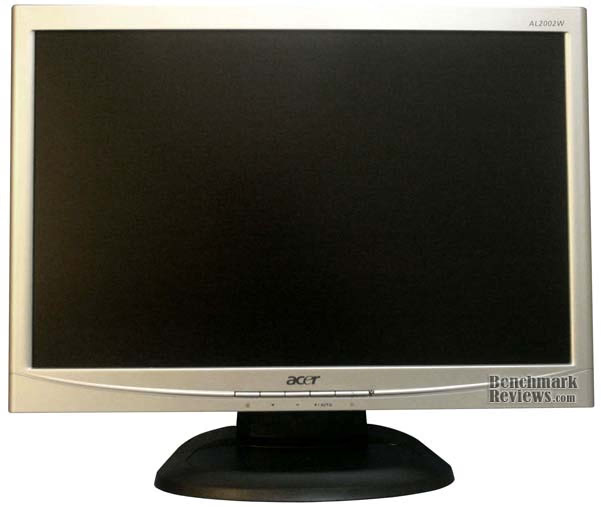
LCD monitors have become popular because they are lightweight, take up less space than traditional CRT monitors, reduce glare and eye strain. It is rather nice when you get away from the CRT refresh flicker to the much steadier image of an LCD. The weight reduction has also made it so much easier for a LAN party fan to travel to the parties without lugging a heavy CRT along.
About the Company: Acer 
Founded in 1976, Acer ranks among the world's top five branded PC vendors. In 2000, Acer spun-off its manufacturing operation to focus its resources on developing technologically advanced, user-friendly solutions. The decision to support the sales of its product lines through specific marketing activities that best utilize distribution channels, has allowed Acer to achieve excellent results worldwide. They currently own product manufacturers such as Aopen, BenQ, Hewlett-Packard and e-Machines.
Acer AL2002W features:
This monitor is microprocessor based and compatible with most analog RGB and digital display standards. It has a full 20" viewable screen area and compatible with VESA wall mounts. This particular model has a dual input: 15pin D-sub and DVI-D. It advertises a fast response time and is also Energy Star compliant. The monitor displays crisp and vibrant color graphics with VGA, XGA, SXGA(non-interlaced), SXGA and WSXGA compatible cards. Resident memory allows for the storage of factory default as well as user defined settings.
AL2002W Specifications:
-
Display Type: 20" TFT
-
Display Area: 433.4 x 270.9mm
-
Contrast Ratio: 800:1
-
Viewing Angle: 160 degrees horizontal & vertical
-
Frequency: 50 - 60Hz
-
Current Rating: 1.5a
-
Display Colors: 16.7m
-
Resolution: WSXGA 1680 X 1050 @ 60Hz max.
-
Brightness: 300 cd/m^2
-
Response Time: 5ms
-
Interface: Analog RGB, Digital (dual input models only)
-
Input: 15 pin D-sub, DVI-D (dual input models only)
AL2002W Contents:
The box is a simple brown cardboard box with a splash of green. Nothing fancy or eye catching in my opinion. Upon opening it I found the monitor was protected by two molded Styrofoam pieces snugly holding each end. The monitor was also wrapped in a plastic bag. The rest of the contents include the user manual and quick start guide along with one 15 pin D-sub cable and for the dual input models one DVI cable. You will also find the base to the monitor as well. Everything you need to get up and running.
Closer Look: Acer 20" Wide Screen
The frame in the front of The Acer AL2002W is a low gloss silver that works for me. Nothing fancy but it is different from all the other monitors with that plain black look. It seems quite solidly built and is lightweight.

The control buttons are located center bottom just below the Acer logo. I like placement like this since it is easy to know which buttons you are pressing. I don't particularly care for blindly hunting for them with my fingers when they are placed on the side or back.

The connections are placed in the back of the monitor to the bottom and facing in a downward direction. I have seen reviews and posts where some have complained about the placement of the connections, but I fail to see where it is practical anywhere else. It isn't extremely difficult to get the plugs connected. A screw driver will aid in locking down the cable for the monitor and the power plug simply slips in place.
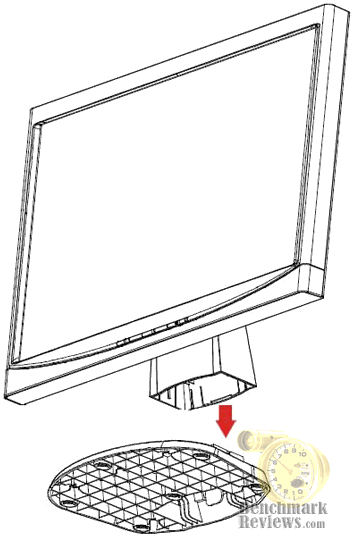
The base is simple to attach. Just align the hooks at the bottom of the monitor and snap things in place.
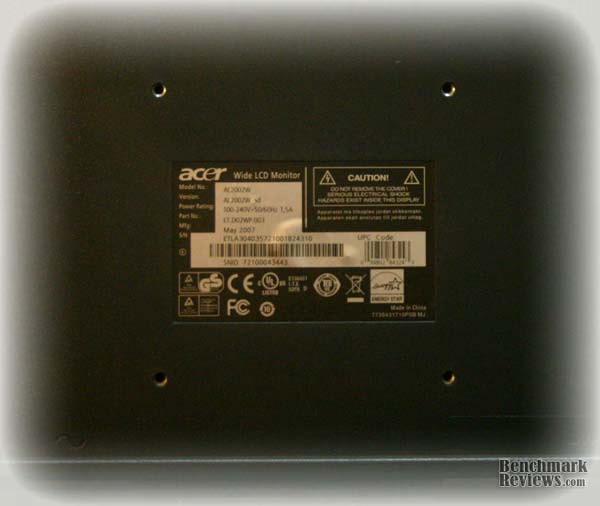
This monitor also comes equipped with mounting points for a VESA wall mount. You would just need to remove the monitor upright and screw the wall mount to the four points in the center back and, of course, to the wall.
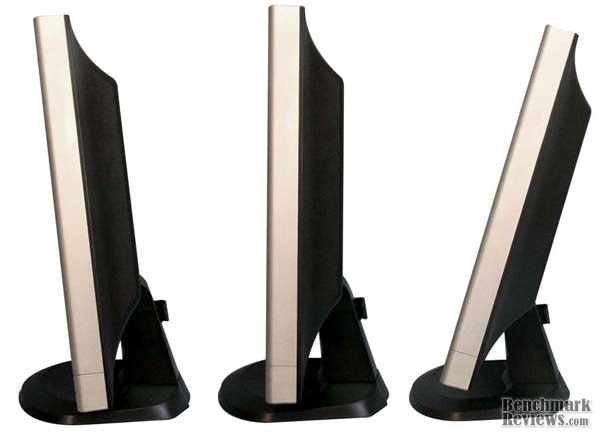
When it is all together, it is quite steady. There is no height adjustment, so if it sits too low, you will need something to set it on to bring it to a better viewing height. The tilt capability is five degrees to the front and twenty degrees to the back.
Acer AL2002W Menu
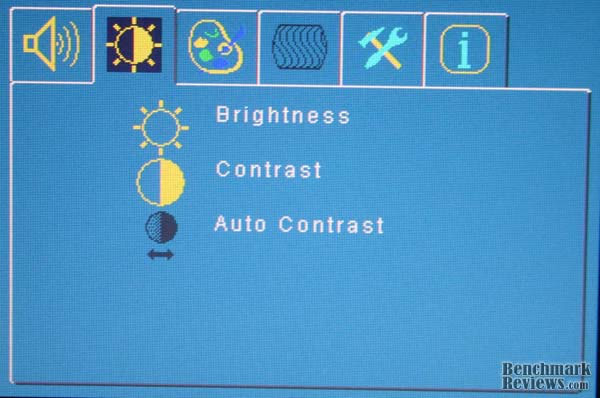
The on screen display is simple and straight forward. The first available tab allows for the adjustment of brightness and contrast.
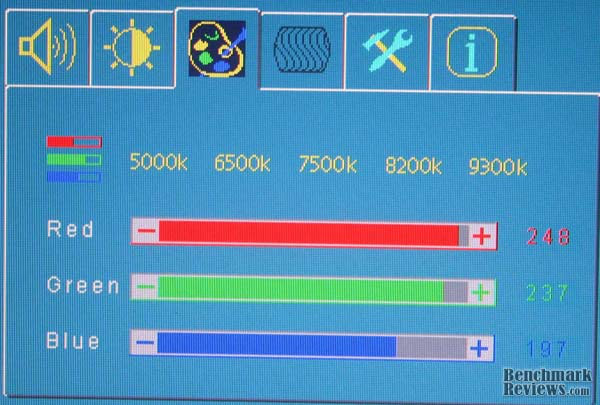
The second available tab is for the adjustment of the red, green and blue color channels.
The third available tab is for adjustment of the on screen display location, language change and reset to factory default.

The final tab is the information tab. It tells what video input is being used, the current screen resolution and the refresh rate.

Testing Methodology
I started out by running some monitor testing software. These programs are only good to thoroughly test and adjust your monitor. Not a whole lot to that, just look at some images and do some adjustments. After that it was time to watch some HD video content, play some games and benchmark.
Test System
-
Motherboard: ASUS P5N-E SLI nVidia 650i chipset
-
System Memory: Crucial Ballistix PS2 5300 2 x 1GB Dual Channel Kit
-
Processor: Core2Duo E6550 2.33GHz
-
Audio: Creative Sound Blaster Audigy
-
Video: BFG Geforce 7800GTX 256MB PCI-e
-
Disk Drive 1: Western Digital WD200JB 200GB 7200rpm IDE
-
Disk Drive 2: Western Digital WD200JD 200GB 7200rpm SATA
-
PSU: FSP Group AX500-PN 500watt
-
Monitor: Acer AL2002W Wide Screen (of course)
-
Operating System: Windows XP Pro Service Pack 3
Results
Looking at HD content on the net I discovered that this monitor is capable of displaying 1080p HD videos. The images were very crisp and clear. The only problem I had with the 1080p content was the download times. Next, it's on to the benchmarks.

With the Doom3 Benchmarking I ran it at three resolutions 1024 x 768 represents the average 17" LCD, 1280 x 1024 to represent the average 19" LCD and the native resolution of the acer al2002w. There is a good performance hit at the native resolution of this monitor, but still fairly good numbers.

Finally we come to Unreal Tournament 3. This is one, if not the, most popular FPS game. So here we have the results at the three relevant resolutions. Once again we see a significant performance hit at 1680 x 1050. Overall the numbers aren't really bad. The game is fairly playable above 35fps.
Acer Final Thoughts
I have been using the Acer AL2002W for quite a while and never thought much about the issues of resolution until I started this review. I have never been one to have a major need for the realism that most gamers want out of their games. For me this was the first LCD monitor I have owned. I have only had the CRT monitors and the thing I wanted most was to get away from the flicker and glare of the CRT as well as pick up some viewing real estate. It gave me roughly an inch in height and four and a half inches in width over my previous monitor.
Over all, I think it is a good monitor for photo or video editing and perusing the internet. As for gaming, it is really mediocre at best if you are looking for serious performance. For someone like me, on a budget and just doesn't have a need for the absolute highest settings in-game, this isn't a bad monitor. You can play most games at the highest resolution and tweak the settings for best performance and still get a good image.
Acer AL2002W Conclusion
The packaging for the Acer AL2002W is very basic, no hoopla at all. It is tan and green and gives the basic product information. Acer is certainly not overselling the product and only giving a description of what you are buying and the basic specifications. Just the facts Ma'am.
This is certainly a basic monitor with just the basic features. There are no built -in speakers, no web cam or microphone. But they did include mount points for hanging on the wall if you choose to go that route. The front frame bezel is low gloss silver and reminds that it isn't high end. I don't find that it is a displeasing look though.
Construction is surprisingly solid but not flashy in any way. Acer obviously meant this to be a lower-mid range offering and excluded the polish and shine of higher range monitors. I think this monitor lives up to the Acer name.
The functionality is basic and what I had expected from this monitor. While it has no where near the amenities of much higher priced monitors, it is a solid performer for this level of product. The Acer AL2002W is able to display HD videos at the 1080p standard, high quality images with good color and brightness.
At roughly $200.00, the Acer AL2002W is a good value. It is very competitive with other monitors at its product level. It is a good step up from a standard monitor and doesn't disappoint.
In conclusion, the Acer AL2002W is a good deal. No stack of features but it has good value and performance. Overall performance and quality are very good and I am pleased with it. At the price of this monitor you should expect to be surprised with the picture quality and response time.
Pros
Cons
Ratings
-
Presentation 7.0
-
Appearance 8.0
-
Functionality 8.75
-
Construction 8.75
-
Value 8.75
Final Score: 8.25 out of 10.
