Let's think the first words coming to our minds when reading: Adobe Flash Player. Youtube, Hulu, vimeo, HD videos might be some of them. If you don´t understand or relate this words you probably live under a rock or have been out of the game, and by game I mean technology world, for a long time. In our AVIVO Purevideo DXVA HD Acceleration Guide we show you how to use your GPU to playback and enhance many kinds of video formats, normally used on DVDs and Blu-Rays, but not limited to them. The benefit is clear. As long as you can use your graphics card to playback your videos instead of using the CPU, you are doing things easier for your machine, thus consuming less energy and freeing your CPU to do other stuff at the same time.
This was the original idea of the DXVA technology. But what happens to the rest of the content we normally watch at the web? Flash is one of the biggest and more used formats today. Youtube being ranked 4th (by traffic stats) is knocking hard at our doors asking for some attention. Some other sites like Hulu (USA) or vimeo have enormous quantities of traffic also, and it wouldn´t be a problem if they weren´t constantly evolving and offering better quality services. For example, Youtube just went up to 1080p support the last month. But I fear 1080p isn´t an easy task for a mid-low CPU, it is? The answer to all this is very simple: DXVA for Adobe Flash Player, and that's what we are testing today in our Adobe Flash GPU Acceleration Guide at Benchmark Reviews.

|
|
HTPCs and HD content are growing more and more around the GPU industry. ATI and NVIDIA have been working on technologies to playback and enhance this video content for many years. NVIDIA started working on their Purevideo technology and added the Purevideo HD some time ago. ATI on the other hand, has their own AVIVO technology and as it was obvious, they name their latest technology AVIVO HD. Now, while these technologies have been marketed too much, I´ve noticed that the big consumers majority doesn´t even know how to use them. The real problem is that neither NVIDIA nor ATI have done enough to help people use their technology. They can bombard you with so many pictures, images and text but neither of these things will offer a simple guide on how to use the software tools in the real world. Here at Benchmark Reviews, we will teach you how to use your GPU to playback and enhance HD video content, and we´re not limited to DVD or Blu-ray content, because we´ll also address *.mkv files so that you can enjoy your stored multimedia. There is so much content available for download from Internet which can be reproduced without using your CPU, that it makes good sense to enhance the image quality whenever possible. Please, have a read at our AVIVO-HD PureVideo-HD DXVA GPU Acceleration Guide and enjoy the Full High Definition experience as it was meant to be!

|
|
The company name Razer is practically synonymous with PC-gaming peripherals. Their wide selection of gaming keyboards, mice, and other accessories make them a top choice when shopping for the best gaming gear. The Razer Imperator is the latest release, and the RZ01-0035 model offers gamers an ergonomic mouse with highly-sensitive 5600 dpi laser. Razer compromises nothing when it comes to comfort, looks, and features. In this article, Benchmark Reviews tests the Razer Imperator USB-2.0 5600-DPI Laser Gaming Mouse RZ01-0035. Boasting such features as adjustable thumb buttons, on-board (Razer Synapse) flash memory, and many other features, this mouse has the potential to pack a serious punch. Learn if the Imperator can live up to the Razer name; and the Benchmark Reviews standard of quality.

|
|
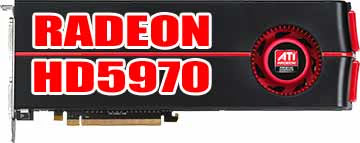
ATI now dominates the graphics industry with their DirectX 11 Radeon HD 5000-series video cards, which allows them to enjoy current-generation gaming on Windows 7 and Vista. The ATI Radeon HD 5870 has already beat the worn and weathered GeForce GTX 285, just as the Radeon HD 5850 and HD5770 do at their respective price points. By combining two Cypress XT GPUs together on one PCB, the ATI Radeon HD 5970 video card will now compete against the very best NVIDIA can offer: the GeForce GTX 295. In this article, Benchmark Reviews tests the 'unlocked' Hemlock GPU against the top graphics products available and demonstrates just how much ground AMD has gained in a few short months.
|
|
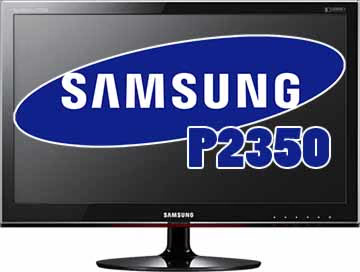
Desktop PCs have come to a point where your digital experience will be limited to the capability of your monitor. With high end Core 2 Duo CPUs and decent HD capable video cards priced around $100, there is no reason to be viewing the digital world on low resolution screens. If you are, then it is time to step up and upgrade to an HD Monitor. The question is: is the Samsung SyncMaster P2350 ToC 1080p monitor a worthy upgrade? Benchmark Review takes a look at this 23-inch LCD Widescreen monitor and see if it's a good buy.
|
|
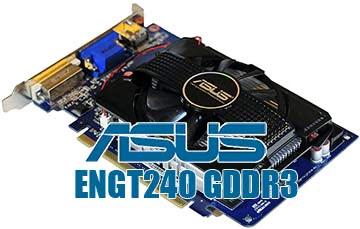
As enthusiasts, we're always interested in the latest monster video cards: the expensive, high-end products that blast through benchmarks and play all your games with buttery-smooth frame rates at the highest resolutions with all the settings maxed out- and sucking a not inconsiderable amount of electricity while doing so! But these products represent only a tiny fraction of the number of video cards sold; the low-to-mid-end cards comprise the bulk of the market. Besides, a GTX285 or Radeon 5870 isn't the ideal solution for every situation: considerations from a limited budget to building a small, quiet system come into play. NVIDIA has been filling out the low-middle end of their video card product line lately, and in this article Benchmark Reviews tests the ASUS ENGT240/DI/1GD3/A video card equipped with with NVIDIA's new GeForce GT240 GPU and 1GB of GDDR3 memory.
|
|
When the Seagate Barracuda XT was revealed as the World's first-ever third generation SATA 6Gb/s hard drive, expectations for performance were raised to match the new bandwidth limit. While this drive offered tremendous storage capacity paired to good performance, the transfer speeds were nowhere near the second generation SATA-3 Gb/s limit. This is where Benchmark Reviews turns to our vast collection of Solid State Drive storage products, some of which eclipse the SATA-II range. However, our history of SSD performance tests on the Intel ICH10 Southbridge would prove to be very different than our results on the new Marvell 88SE9123 or 88SE9128 SATA-III chips. In this article, Benchmark Reviews compares Marvell SATA-6G SSD performance against tests on the Intel ICH10 chipset.

|
|
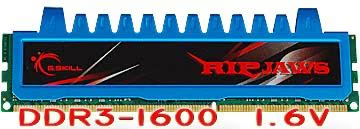
If you're in the market for some DDR3 memory these days, you will see a lot of sets being advertised as "Optimized for use in Intel i5 and i7 systems". There's a lot of confusion in the marketplace about whether these products are suitable for use in other applications. The truth is that most all of them can be used in any system that uses DDR3 memory, as long as the BIOS on the motherboard can supply the correct voltage, usually around 1.6V for most sets. In this article Benchmark Reviews will examine how a dual-channel kit of 1600MHz CL7 RIPJAWS modules from premier maker G.Skill performs on an AMD 790FX platform.
|
|
Benchmark Reviews offers our finest choices for the 2009 Editor's Choice Award in this article, and the selection process has not been easy. To choose one consumer electronics product as the best-of-the-best when the vast majority of products tested at Benchmark Reviews are already at the top of their game demands the highest quality. Even though this past year has been filled with global crisis and economic meltdown, 2009 has still brought consumers some of the best products ever made. The consumer electronics and performance computer hardware markets have introduced excellent products throughout 2009, and only the best deserve our Editor's Choice Award recognition.

|
|
|
<< Start < Previous 71 72 73 74 75 76 77 78 79 80 Next > End >>
|
| Results 640 - 648 of 1033 |