
NZXT Whisper Full-Tower Computer Case
NZXT Whisper Case
I've owned my fair share of computer cases over the years from the full sized towers to the small form factor ones, from the loud and obnoxious gaming cases to the subtle and quiet ones. The Whisper from NZXT at first glance and the name of course would imply that this would fall into the category of subtle and quiet. I prefer the conservative and subdued style like the whisper offers. Maybe it's my age showing but I just like computer cases to have a more "professional" looking appearance to them. I've noticed recently, and probably many of you too, that the line between mid sized and full sized towers seems to be blurred. I've even seen the Whisper advertised as both a mid sized and a full sized tower. NZXT officially calls it a full sized tower but I've seen some mid sized towers that were equally if not bigger than this one. NZXT already offers a silent computing case called the HU001 (aka Hush) but it's a mid sized tower for which the Whisper builds and improves upon.
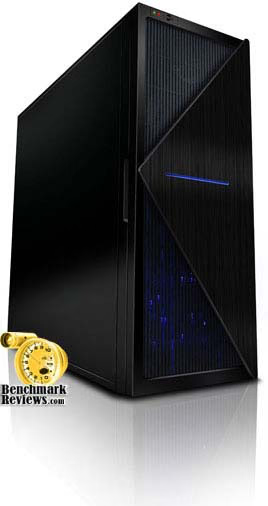
Every so-called "quiet" computer case I've come across in the past has never really made me that excited about it. They usually exchange noise for cooling performance and it seems virtually impossible to have both unless you go with liquid cooling. I've been looking for a new home for my PC components for a little while now. A home that would accommodate an extra long video card, extra large power supply and several hard drives all the while doing so quietly.
Finally, a chassis that is designed for the enthusiast that combines noise dampening features with expandability and storage. Introducing the Whisper silent full tower chassis from NZXT, improving upon the successful of the NZXT HU-001 chassis, the Whisper is another step up from the Hush. Featured in a large size E-ATX Full Tower, the Whisper can support up to NINE hard drives and a total of SIX 5.25"; bays with ample space for large expansion cards. 10mm dampening foams, rubber grommets, and padded PSU holder are some of the major features in silence. The NZXT Whisper is the complete solution for the enthusiast who is not willing to sacrifice silence for performance. Benchmark Reviews recently got a hold of one of these cases and I must say I'm intrigued so now let's just see if the Whisper lives up to it's name or not.
NZXT Whisper Features
-
Silent Performance :: 10mm noise dampening foam pads both side panels and the top panel, rubber grommets reduce vibration noise on the Hard Drives, and a padded PSU holder dramatically reduce acoustic levels within the chassis
-
Maximum Expandability :: Space for 9 hard drives and a total of six 5.25" bays with ample room for large expansion cards
-
Simple Installation :: Pre-drilled wire management system makes it easy to route your cables and the screw-less installation means you won't be constantly reaching for your tools
-
Advanced Cooling :: Whisper includes 4 fans( 1 x 120mm Blue LED Intake, 1 x 120mm Black Rear Exhaust, and 2 x 80mm Rear Exhaust). Bottom mounted PSU separates the heat given off by the PSU and motherboard
Whisper Specifications
| MODEL | Whisper SERIES |
|---|---|
| CASE TYPE | FULL TOWER Steel |
| FRONT PANEL MATERIAL | ALUMINUM/PLASTIC |
| DIMENSIONS (W x H x D) | 211.5 X 521.5 X 562 mm |
| COOLING SYSTEM | FRONT, 1 X 120mm Blue LED (included) REAR, 1 X 120mm, 2 x 80mm fans (included) |
| DRIVE BAYS | 6 DRIVE BAYS 6 EXTERNAL 5.25" DRIVE BAYS 1 3.5" External bracket 9 INTERNAL 3.5" DRIVE BAYS Screwless Rail Design |
| MATERIAL(S) | Steel Construction |
| EXPANSION SLOTS | 7 |
| POWER SUPPLY | 500 WATT PS2 ATX 12V 2.0 ( OPTIONAL ) |
| WEIGHT | 12.3 KGS (W/O Power) |
| MOTHERBOARD SUPPORT | MOTHERBOARDS: E-ATX ATX, MICRO-ATX, BABY AT |
About the company: NZXT
NZXT, a company built upon gamer's dreams, hopes to create products that put consumers first. With the objective of designing unique products catered for hardware enthusiasts and gamers, NZXT has grown into a globally renowned brand recognized for dedication towards creating the next great gaming product. NZXT has won numerous awards from media and publications from across the globe with a product line spanning from gaming chassis, power, and gaming input devices. As a corporation formed by gamers, NZXT continues to expand into new horizons and push the limitings further with each product unveiling.
Our dedicated sales and customer service team will also work diligently to earn your trust and loyalty. All our products are built with high quality material and engineered in the best conditions.
NZXT products are designed and engineered in the United States and manufactured overseas in China and Taiwan.
NZXT was established in 2004 in Los Angeles, California.
Closer Look: Exterior
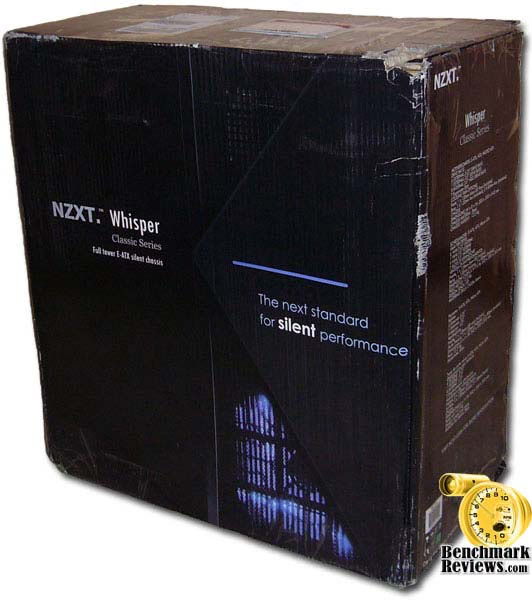
Despite being badly bruised during shipment, the box arrived intact. It has a conservatively styled yet attractive design that effectively let's the consumer know what they're getting.
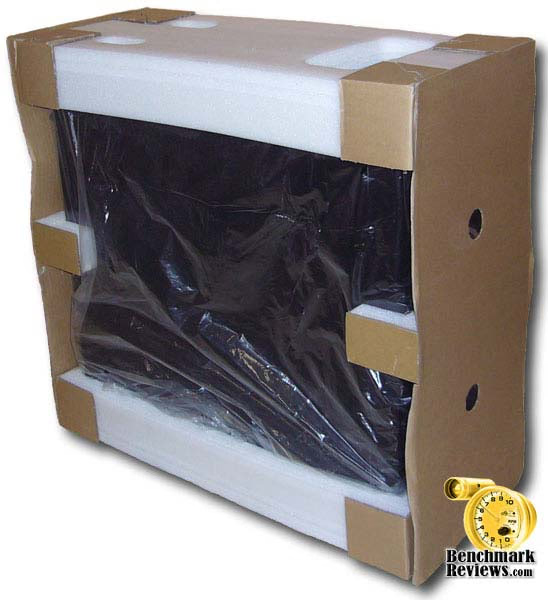
The case itself was well packaged which is good considering the abuse the outside took during transit. I suppose I should consider myself lucky considering what could have happened.
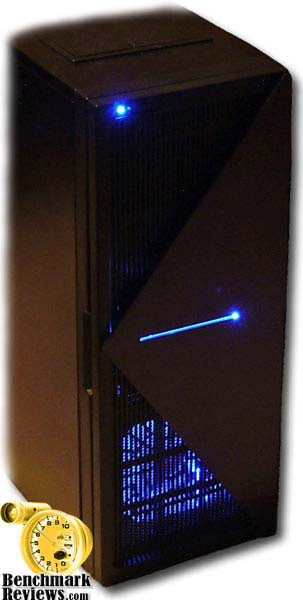
When I first removed the case from it's packing material I was impressed at how much better it looks right in front of you versus looking at just pictures of it. The finish on the Whisper is best described as matted with a slightly textured look. The front door is plastic except for the triangular face plate which appears to be aluminum with a finely brushed finish to it.
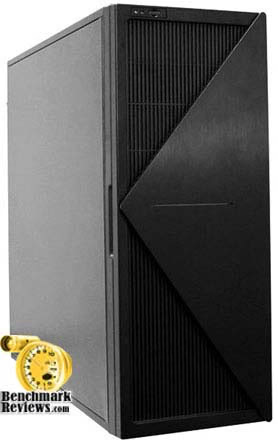
The door also features a cutout that allows the power button to be accessed without opening the door although the reset button right next to it still requires you to open the door. I'm not sure what the thinking was behind this design but I certainly appreciate having at least the power button accessible from the outside.
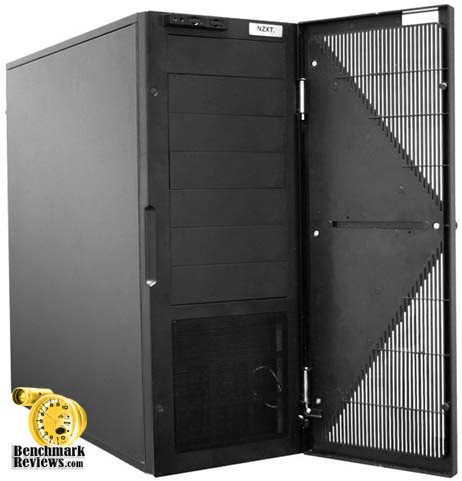
You get a total of 7 5.25" external drive bays which includes one of which can be used as a 3.5 inch drive bay. The image above doesn't show it but NZXT does include a 5.25" to 3.5" adapter for one.
Detailed Exterior Features
Moving to the rear of the Whisper computer case reveals the power supply location on the bottom of the case along with 2 80mm fans mounted directly above it. Which if I hadn't removed the side panel you'd probably wonder why those were there but as you can see, the power supply and hard drives are located in a separate chamber. More on that later though.
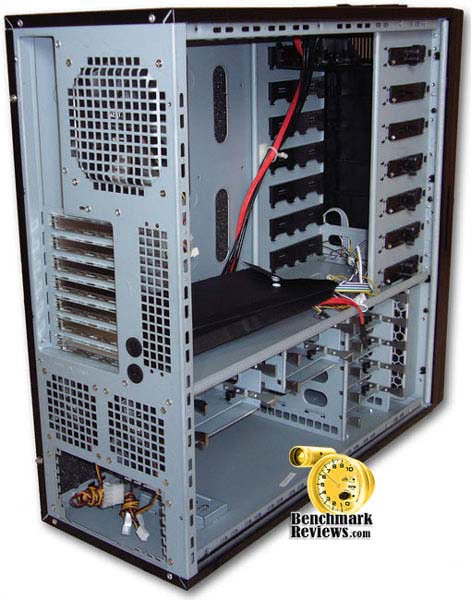
There is a low speed and silent 120mm exhaust fan on top with your standard 7 expansion card slots below it. The left side panel is held in place via thumb screws which is a must have for any PC enthusiast. All of the fans have both a molex and 3 pin connectors.

You'll also see the two holes for liquid cooling. It's predecessor, the HU001 (aka Hush) has none. So it's nice to see NZXT has at least included them in the Whisper despite being a little small.
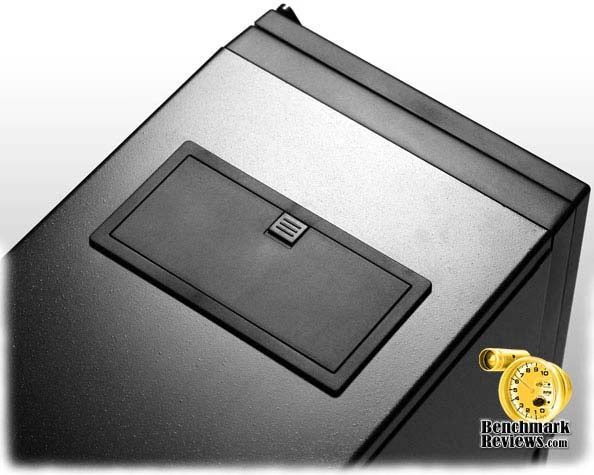
Moving to the top of the case reveals the IO panel which supports two 2.0 USB ports, HD/AC'97 audio ports, and an e-SATA port. However, no Firewire (IEEE-1394) port. Now, most people might not care about Firewire anymore but I know I still use a video camera that needs it so that was a slight let down for me.
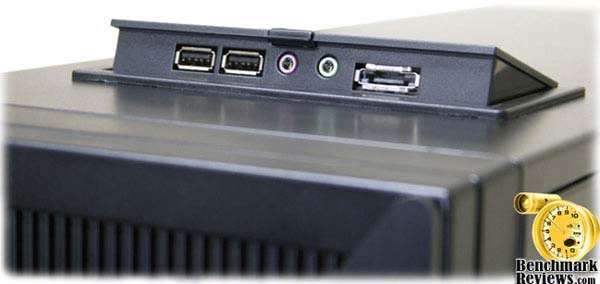
Probably within 5 minutes of removing the case from the box, I broke off the little plastic clip that holds closed the IO panel ports. I was pulling up on it instead of sliding it back and that caused it to break. A dab of superglue fixed that though. I think a better design could have been implemented such as a push button mechanism. I'm sure if I broke this off so quickly then others have probably done the same. Regardless though, just being able to conceal the ports when not in use is a nice touch that I can certainly appreciate.
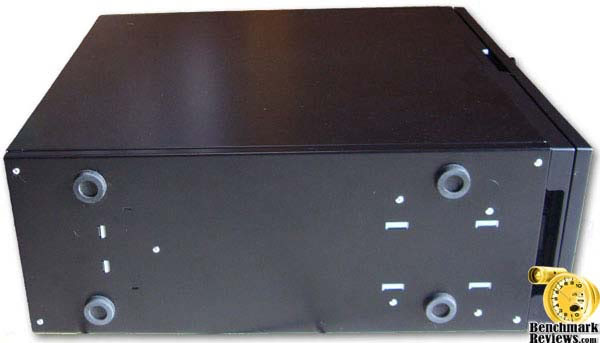
Looking at the bottom of the case shows off it's plain yet effective feet. I personally don't care for them but at least they're firmly glued on and haven't fallen off yet.
Closer Look: Interior
Removing the side panel from the NZXT Whisper brings a little surprise to you in the form of foam that is attached to both side panels.
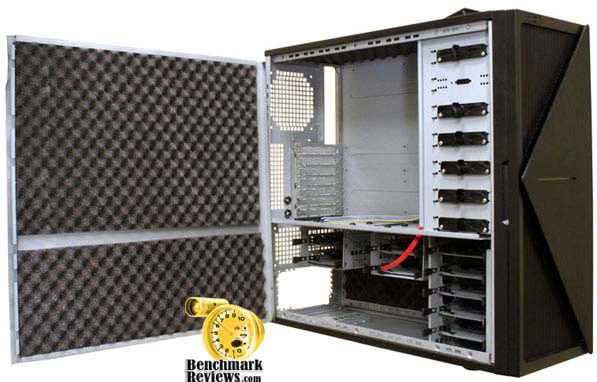
You also see the two separate chambers, the bottom one that houses the power supply and hard drives and the top one for everything else. My biggest concern at this point is that the top chamber has no intake fan for it. The case only has one intake fan and that is located on the very bottom which only provides air flow to the hard drives and PSU. This might be fine for a low end system that doesn't generate much heat but with today's higher end systems especially video cards that need positive air pressure inside the case, this could be a problem.
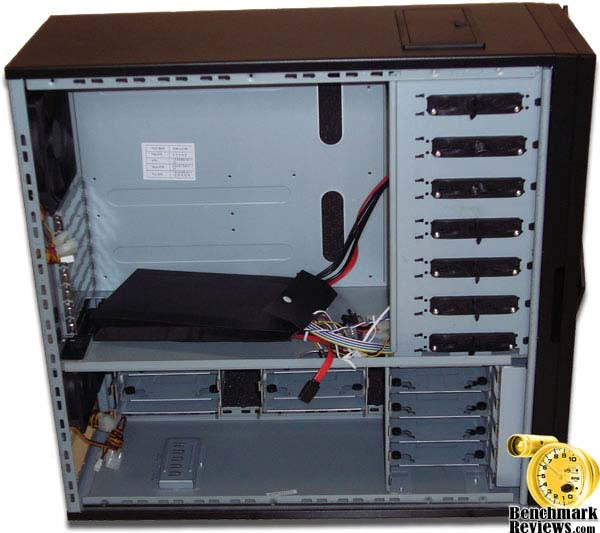
I think it would've been better altogether to not have a separate chamber thus improving air flow throughout the entire case. Of course that would mean losing some hard drive trays but then you would also not need the two 80mm fans on the back thus reducing noise even more.
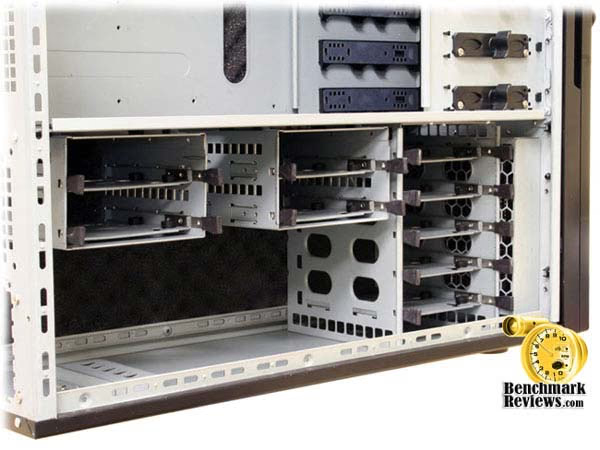
I was impressed with how many hard drives the Whisper will hold. Capacity for nine hard drives might seem like overkill to some especially considering the large storage capacities and relatively low prices for them but if you have a bunch of older and smaller capacity drives you want to use, then there certainly is plenty of room inside of this case for them all.
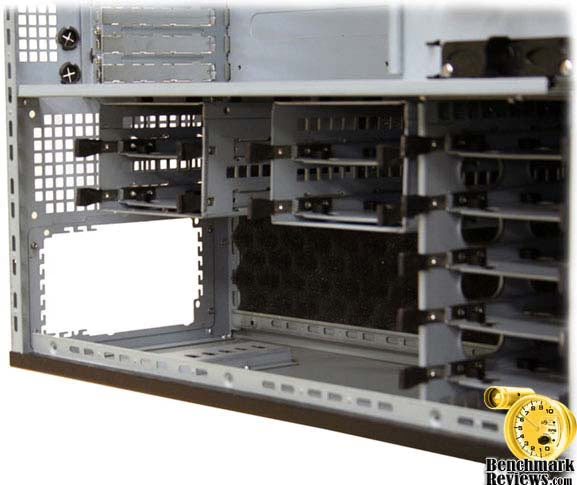
I personally decided to remove the two extra cages holding each two hard drives because I just felt they impeded air flow too much plus five hard drive slots is more than enough for me anyways.
Detailed Interior Features
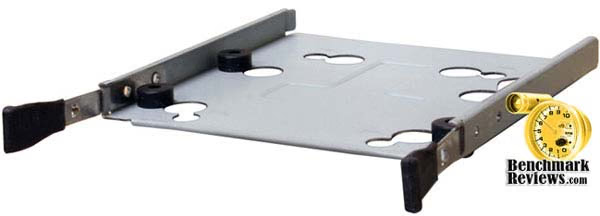
The hard drive trays themselves have vibration dampening rubber grommets. NZXT has also included enough hard drive screws to install a full nine hard drives.
The external bay drives are held in place with a plastic screw retainer each with two metal prongs that are inserted into the drive holes. I found this mechanism to be somewhat effective. They do make optical drive installation a breeze. They're only on the left side of the case so you don't have to remove the opposite side panel to install an optical drive.
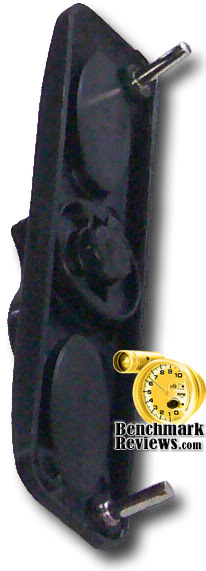
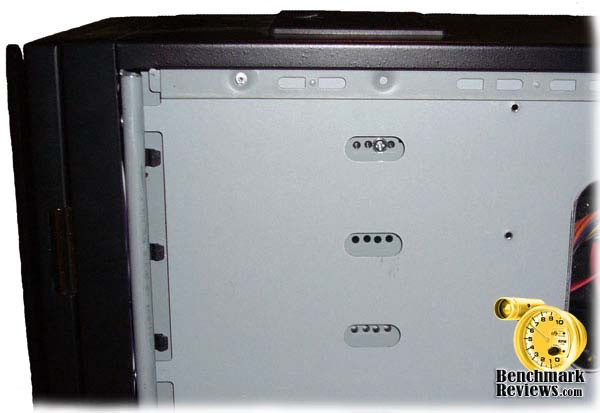
The downside to using these external drive retainers is that the right side of the drive doesn't feel very secure. You push on the opposite of the drive and it will wobble back and forth. I prefer to just use standard screws to install optical drives. They just feel more secure that way. However, you can only install three screws, two on the left side and only one on the right side. The right side being the side that only allows you to use the screw hole near the back of the optical drive. Because of this, I found out that I couldn't install my fan controller or any device that is not a full length device. There are just no cutouts for the first set of screws to hold half sized devices like fan controllers unless you're willing to drill some holes yourself.
My fan controller also wouldn't fit because of the front door. It wouldn't close all the way because of the knobs but that would be true for any device that has buttons or knobs that stick out more than a quarter of an inch. Then I realized, "Why do I even need a fan controller for a case like this?" It's already supposed to be quiet right? Yes it is, but because of it's cooling performance issues, I was hoping to replace the fans with some high speed fans and use a fan controller to tone down the noise while still having better cooling performance when I needed it.
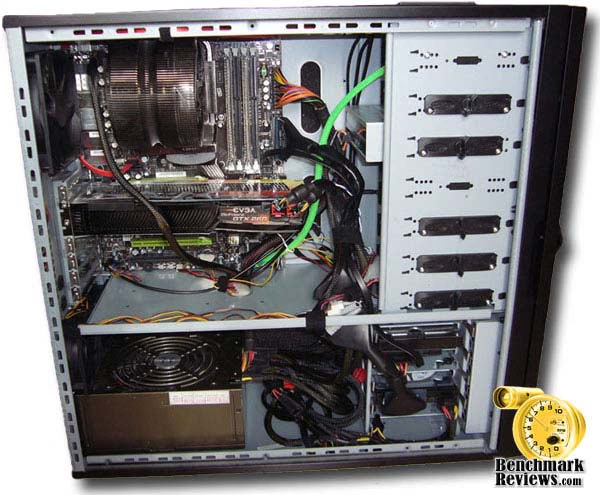
This is certainly not the prettiest install I've ever done but considering there is no side window on the case, does it really matter? Also, because there is foam on both side panels means that I couldn't hide any wires behind the motherboard tray and with the PSU on the bottom, it means that you might have to stretch and drape your power cables across the motherboard like I did for the 8 pin connector at the top left of my motherboard. I'm using a 1000 watt Thermaltake PSU which is longer than most PSU's and so are the included cables. There is some space to store all those cables directly in front of the PSU. It's not pretty but at least it doesn't impede airflow for the hard drives except maybe if you mounted one on the bottom tray. It's not really as bad as it looks though.
Classic Series Final Thoughts
The NZXT Whisper is certainly a very well built case and easily houses all my gear. Installation was easy thanks to it's roomy interior. Cable management though was not so easy partly due to the foam backing on the side panels.
The outside of the case has a nice attractive appearance to it and I like how the front door uses a magnet to hold the door closed. It's also a very quiet case that lives up to it's name of a silent computing experience. It's not pure silence but more like a "whisper". However, as is the case with most others that strive for silence, you pay the price for cooling performance. If you're running a liquid cooling solution then it's a moot point but for air cooling and most modern hardware, cooling performance suffers. Just at idle my rear exhaust fan was pumping out some pretty hot air. That concerns me and makes me not want to overclock it or stress the system in any way.
I've read that NZXT is offering an additional front fan to assist in cooling of the motherboard area but I have yet to follow up on that to see it's impact on cooling. I'm thinking it will help it out substantially. I think it would be best if NZXT included this extra fan as standard equipment on all future orders for it and if noise becomes an issue, then install some sort of fan controller to tame it.
There is one minor difference with the power and HDD LED's that the company images don't show. The stock image shows a green LED for power and a red LED for the HDD. What I got was a case with a very bright blue and sharply focused power LED and with a dull green HDD LED. It will certainly light up any room at night.
Finally, the top mounted IO panel needs a different latch and locking mechanism. I broke it off very easily but was able to repair it. I think a push button release latching mechanism would be better.
NZXT Whisper Conclusion
Despite the retail box having been battered during shipping, the presentation NZXT puts forth is excellent. You won't see flashy gaming artwork but instead a subdued and elegant styling to it that is in line with it's "Whisper" name. Care is also taken in the packaging of the case. The case itself also lends itself to sophisticated and elegant styling. Something I appreciate a lot and therefore gave it high marks in that category.
The roomy interior, concealed IO ports, room for 9 hard drives and 7 optical bays, insulating foam and quiet fans are all things I like about the Whisper. I don't really like the separate chambers for motherboard and PSU. In theory it's good but since the front does not include a fan for the upper chamber, it doesn't allow for proper airflow throughout the case and can be a problem with modern hardware like video cards that require positive air flow. I also didn't care for the locking mechanism on the IO panel nor the cheap rubber feet. I know some people love the tool-less optical drive feature but I just like my drives to feel as if they're fully secured when mounted so therefore I used plain old screws. Overall the Whisper has some very good functional features that a lot of people will appreciate.
The retail price for this case seems a bit on the high side for what you get in features and performance. Newegg.com currently lists it $139.99. Therefore I didn't rate the value very high. If you can find it with a rebate and/or on sale then it might be more attractive.
If you're looking for a quiet case that will house a lot of components and one that is not flashy but rather conservative and sophisticated, then this case is for you. Just make sure you obtain the additional front fan from NZXT to assist with cooling, otherwise you might consider going with liquid cooling.
Pros:
+ Very quiet operation
+ Insulating foam on side panels
+ Attractive design
+ Plenty of hard drive bays
+ Accommodates E-ATX motherboards and long video cards
+ Front e-SATA port
+ Tool-less retainer
Cons:
- Cooling performance
- Only full length devices can be installed in external bays (ie, no fan controllers, etc)
- Shallow door clearance
- Limited cable management options
- No firewire port
- IO Panel locking mechanism
Ratings:
-
Presentation: 8.75
-
Appearance: 9.00
-
Construction: 8.25
-
Functionality: 8.25
-
Value: 8.00
Final Score: 8.45 out of 10.
Questions? Comments? Benchmark Reviews really wants your feedback. We invite you to leave your remarks in our Discussion Forum.