
Recycled PC: Old Computers with a New Purpose
Getting the Most Out of Old Computers
If you're like me, you've amassed a fair collection of computer components and devices. Not because I'm an enthusiast or because I spend more on computers than the common man. Rather, because computers get old and software constantly requires more and more power to run. Frequently, we find that new technological breakthroughs make old hardware that was just fine seem quaint. Be it a race toward higher clock speeds, faster front side buses, multiple cores, etc, computers become disused and replaced.
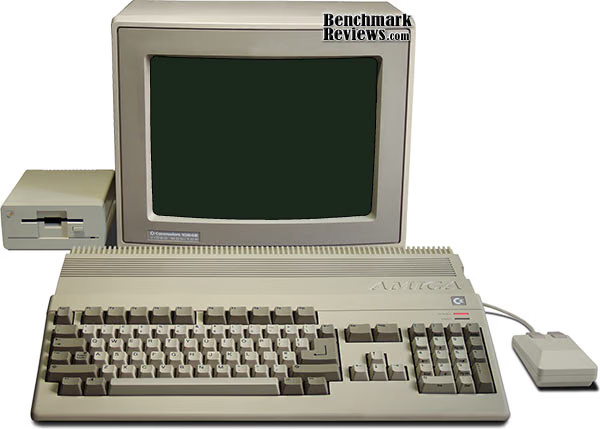
Green attitudes have dissuaded people from tossing out components that are, for all intents and purposes, quite harmful to the environment. Moreover, current operating systems are becoming more power hungry let alone the software that runs on them. It's easy for Firefox to consume 30-40 megs of memory on Google's fairly spartan home page. Though, when 2 GB of memory is standard, 40 megs is a drop in the bucket. 10 years ago, that was not that case.
So, what do you do with these computers? Many people will take them to recycling centers. Others will keep them and let them collect dust (as humans appear to be, by nature, packrats). Others covertly throw them out in dumpsters in an open show of apathy. However, few will use them again. What's interesting about these computers is that in many cases they're perfectly useable. What's even more interesting is that you can maintain a high amount of usability with completely free software. Here at Benchmark Reviews, we'll provide our list of uses for recycled computers.
Repurposed: Secondary Computer
This may seem obvious, but the best way to recycle an older computer is to clean it up and place it elsewhere. Secondary computers are great for all sorts of tasks within the household, be it for children, guests or even for the other people living in your home. Hand-me-downs are a great way to maintain utility of many objects as well as maintaining thrift. By placing the computer in a secondary role you can save yourself money down the line when it comes to multiple computers in a household.
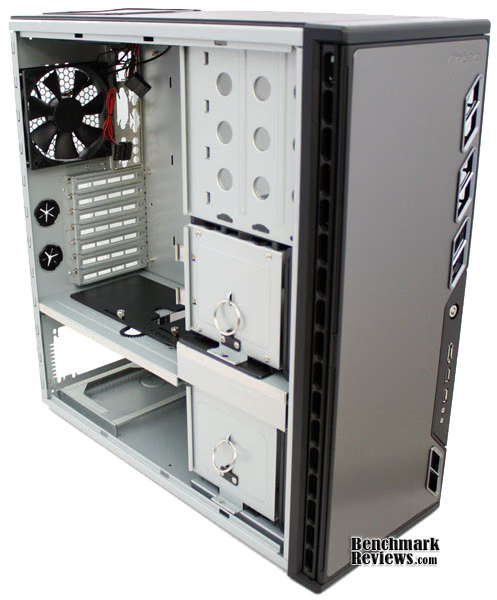
If you're the type of person that uses your computer until it breaks, you may be able to salvage the computer with the replacement of one or two parts. The internal components within a computer tend to be pretty hardy, but the mechanical parts have a greater tendency to fail, including fans, hard drives and optical drives. HDDs and optical drives are cheap to replace, but memory may be more difficult or costly to replace. Keep on the lookout for people selling used parts of old computers for cheap.
Many old computers were shipped with OEM versions of old operating systems, like Windows 98 or ME. It's not recommended that you stick with these old operating systems because they're outdated, unsupported, unstable and easy to infect with viruses and trojans. Many tasks which are very easy to accomplish on newer operating systems, such as joining a network or installing new hardware can be very difficult. Finally, compatibility with basic hardware standards, like USB 2.0, can be very difficult. If the old computer came with Windows 2000 or XP, you're more than likely all set for use, but older computers, require different measures. Linux is becoming easier and easier to use and many different light-weight variations of Linux are available for download and installation for free. The most popular version of Linux at the moment, Ubuntu, has a lightweight version released called Xubuntu, based off of the XFCE GUI platform. Other distributions to considering include Puppy Linux, Knoppix and Mint Linux. Through free and open-source software (FOSS) you can install many programs that make you just as productive as on a Windows platform.
Repurposed: HTPC
Watching video on a computer is becoming more and more common all the time among computer users. There's a lot of videos out there, especially with the advent of Youtube and streaming video from the internet through services like Netflix. Yet, watching video at your computer leaves something to be desired. The HTPC lets you sit back and enjoy movies and shows in your living room. Because of the sudden increase in media, the HTPC has become exceedingly popular among people of all walks of life.
Watching video on a computer does not require that much processing power. DVD resolution mpeg-4 ASP video (DivX or XviD) can be played back on processors that were manufactured as far back as 2000 (such as Pentium 4 1.8ghz or Athlon Thunderbird 1.0 ghz). DVD resolution mpeg-4 AVC (h.264) video requires a bit more processing power. But, it can be handled by processors produced as far back as at least 2003 (such as a Pentium M 1.5ghz or an Athlon 64 3000+).
HTPCs aren't just limited to video either. Music can easily be streamed from computers throughout a household using wireless b connections. In fact, iTunes allows the sharing of playlists for streaming playback. So, you can maintain your music library on your main computer and share it with all the computers on the network. Moreover, the same software that is used on your desktop pc to view your photo collection can be utilized to view the same on your TV. With a good wireless keyboard and mouse set, the TV can be used to play PC video games as well.
The HTPC genre has also led to a plethora of software suites developed in the vein of Windows Media Center, many of which are free. Some suites are based on the Linux, such as Myth TV. The suites serve to simplify your video and audio collection into a single interface that allows for simple, single click usage. The media suites also typically contain DVR (digital video recorder) functionality with the ability to synchronize with online TV listings.
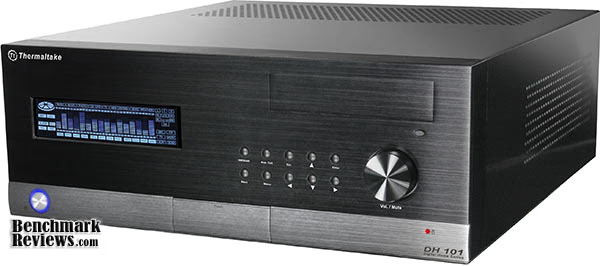
The caveat (there's always one) with the HTPC is that it doesn't necessarily look like it belongs in the living room. The computer's can usually be a bulky affair with colors that may not necessarily match the décor surrounding it. A fair amount of HTPC cases have been released in order to blend in with the rest of the setup. Also, if there are too many fans in the computer, it can produce an unattractive amount of sound. These are the sorts of problems that plague most HTPC setups. However, if these hurdles can be overcome, the HTPC can become one of the most interesting additions to your living room. Moreover, if one is so inclined, a modest investment can be put into a computer to silence it, including larger fans and larger heatsinks.
File Server Computer
It used to be that there would only be one computer in a household. Computers were very expensive and there wasn't much of a 2nd hand market for the hardware. The proliferation of lesser expensive computers from companies like Dell and Gateway had prompted many people to purchase computers not only for themselves, but for the rest of their family. Nowadays, houses with multiple computers are common. With so many computers in a single household, moving files from one computer to another can be rather tedious. The file server is meant to alleviate this problem.
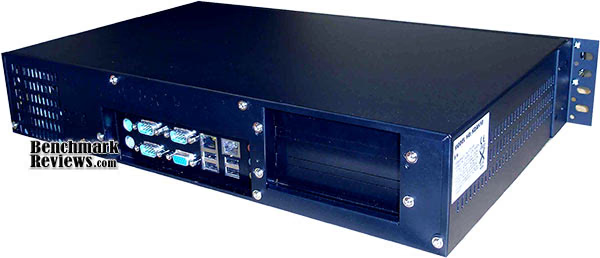
The file server is nothing more than a computer connected to a network with folders set up to share amongst the other computers in a network. The great thing about this task is that it can be accomplished with most operating systems and even computers with little processing power can accomplish this task easily. Windows makes things easier by allowing you to right click on a folder and set it to just share a file. Linux can share files through samba. Linux requires a configuration file be properly set up to allow sharing of specific folders over the network. Windows Home Server is a relative newcomer to the home server realm and it comes with many automated features to make it as user friendly as possible
The typical file server runs "headless", which means that no monitor is attached to it for most of the time (except for the installation of the OS). In order to administer the computer while it has no monitor, a remote connection is used. For Linux, SSH is typically used to access the command line. Since Windows XP, Windows has included its own remote desktop application in certain versions. VNC is a free protocol with many software variations that allows remote access to the computer's GUI and is available for Linux, Windows and OS X.
In my opinion, Linux is the clear leader for this task. On one hand, Windows is much easier to setup for sharing, but its problem is that it takes up a lot of space on an HDD and has a very large memory footprint. Its remote interface can also be hardware intensive for both the server and client sides. Linux's problem is that it requires the user to be familiar with a command line interface to complete some of its tasks. If the user is able to overcome this hurdle, current versions of Linux can run on very old computers.
Repurposed: Backup
HDD storage space is getting cheaper all the time. Cheaper storage space has encouraged many people to collect and store many gigabytes of personal data, be it music, movies, pictures, work data, reports, etc. Because of this sudden increase of data usage, backing up data has become very important. Deciding how to back up data is important and each method has its pros and cons.

External HDDs are an inexpensive way to store a large amount of data, but they suffer from poor reliability and high failure rates. Optical media, such as CD-Rs and DVD-Rs are cheap and can last for long periods of time. However, it takes a long time to burn lots of DVDs and can easily take up a lot of space. Online storage can hold all of your data and the people that run the datacenters are well-versed in maintaining your data. Unfortunately, it can take days or weeks to upload your data and can take just as long to download it if you need it back.
A backup fileserver may not solve all of these problems, but it's another option out there. It helps reliability over an external HDD by providing a well-ventilated area free of jars and drops. It's easy to schedule backups through programs like Cobian backup or any other backup software out there and it's also easy to retrieve the data from many computer on the network. Moreover, storage capacity can easily be increased by just adding or replacing hard drives.
Repurposed: Web Server
To go along with the suggestion of a file server is the web server. The internet is everywhere and many people want to make their own private web pages. While many services like Facebook, Myspace, Flickr and whatnot allow for someone to create their own personalized web page, connect to their friends and family and share a lot about themselves, there are still some restrictions on the websites that don't give you full flexibility. Considering the proliferation of template web design programs, it's becoming very easy for anyone to make a website. It can just be expensive to host your website.

Fortunately, web serving tools and programs, like Apache, are easy to procure and use. With a spare computer transformed as a web server, you can host your own website with your own content, personalized your own way. You can add content that may not be allowed or easily uploaded elsewhere (such as very large images) or long movie clips. If you purchase a domain name or use a free subdomain, you can also point it toward your IP address to serve your data.
There are, of course, a few things to be aware of. First and foremost, if you're serving data from your home connection, you'll have to make sure you have an internet connection with the bandwidth to support the data transfer. Cable internet and higher tiered DSL connections typically offer enough bandwidth. Apache and other web servers require configuration of one sort or another to have initial functionality (but typically come ready to go, for the most part). Other things to think about are port forwarding on your router and how frequently your IP address changes.
The Niche
Computers are still valuable commodities and are still useable in many, many other applications. The five suggestions given above are those that would be useable and useful to a large number of people, but that doesn't mean that that's all there is out there.
For instance, most music out there is recorded in a digital medium. While there are some musicians out there that feel that recording on tape gives their music a sound that you can't reproduce in digital form, the vast majority record on computers into a digital medium. A studio computer may be just what the aspiring musician needs, complete with a sound card capable of recording at 96 or 192khz.

3D artists are people who are no strangers to needing more computing power. Fortunately, multiple computer clustering is becoming easier for home users. While clustering is still a relatively complex subject, there are lots of software projects out there that accomplish cluster computing and allow the inclusion of another computer to a pre-existing cluster.
For the gamer, a computer is a great source of video game nostalgia through MAME. MAME is an emulator of arcade hardware and allows the user to play video games on their computer through the software. The legality of the ownership of "roms" (or the games in file form) is frequently dubious, but many companies have released their video games in rom form for use in MAME, free of charge for personal use. Because of this nostalgia, people frequently purchase old arcade cabinets, or construct their own, for the sole purpose of creating their own arcade cabinet built around their computer and MAME.
A spare computer can also be used to control the network and be used as a router for DHCP, NAT, IP routing and a firewall, among other things. Because of the increase in computing power and storage space, far more features can be attached and implemented compared to a stand alone router, such as the Linksys WRT54G series. The computer can also be used to share printers across a network.
Conclusion
If there's something to pull from this article, it's that there are a lot of uses for computers beyond sitting on a desktop. While this article is hardly indicative of all the potential uses of computers, it can certainly give you a push in the right direction for finding a use for your old computers. Old computers certainly shouldn't be sent to pasture simply because they've merely been replaced. Not to mention the harmful materials in computer components make them unsuitable for disposal with the rest of your garbage.
The good news is that most tasks out there have software to facilitate the task. Thus, if you can think of a use, there's bound to be a piece of software that helps you use it that way. The other good news is that many of the uses I presented are fairly common. There are tons of different guides on how to install and set up the software mentioned in the article, especially those installed on Linux.

Finally, if you're so overwhelmed with computers that the uses above are already fulfilled and a computer is totally useless, donating your computer to a recycling center is still a better option that throwing it out. Many people in the world do not have the funds to purchase a home computer and even an old computer with a minimal amount of software installed can help a needy family. Otherwise, to simply throw out a computer is essentially a waste, and illegal in most US states.
Questions? Comments? Benchmark Reviews really wants your feedback. We invite you to leave your remarks in our Discussion Forum.
Reader comments from the original article
3 comments were posted before commenting closed. They are preserved as written. Original avatars no longer resolve and are shown as a placeholder.
Computer repair hamilton computer repair hamilton Permalink:
I agree with this article...you can easily repurpose a computer and computer repair hamilton or any sort of computer repairs can get quite expensive. With a little know how, anyone can really turn an unused computer to be useful again.
RE: Recycled PC: Old Computers with a New Purpose ceaira Permalink:
what is the purpose of computers
RE: RE: Recycled PC: Old Computers with a New Purpose Olin Coles Permalink:
Computers allow you to leave silly questions on a hardware review website.